
Desktop · Windows
MIA Studio
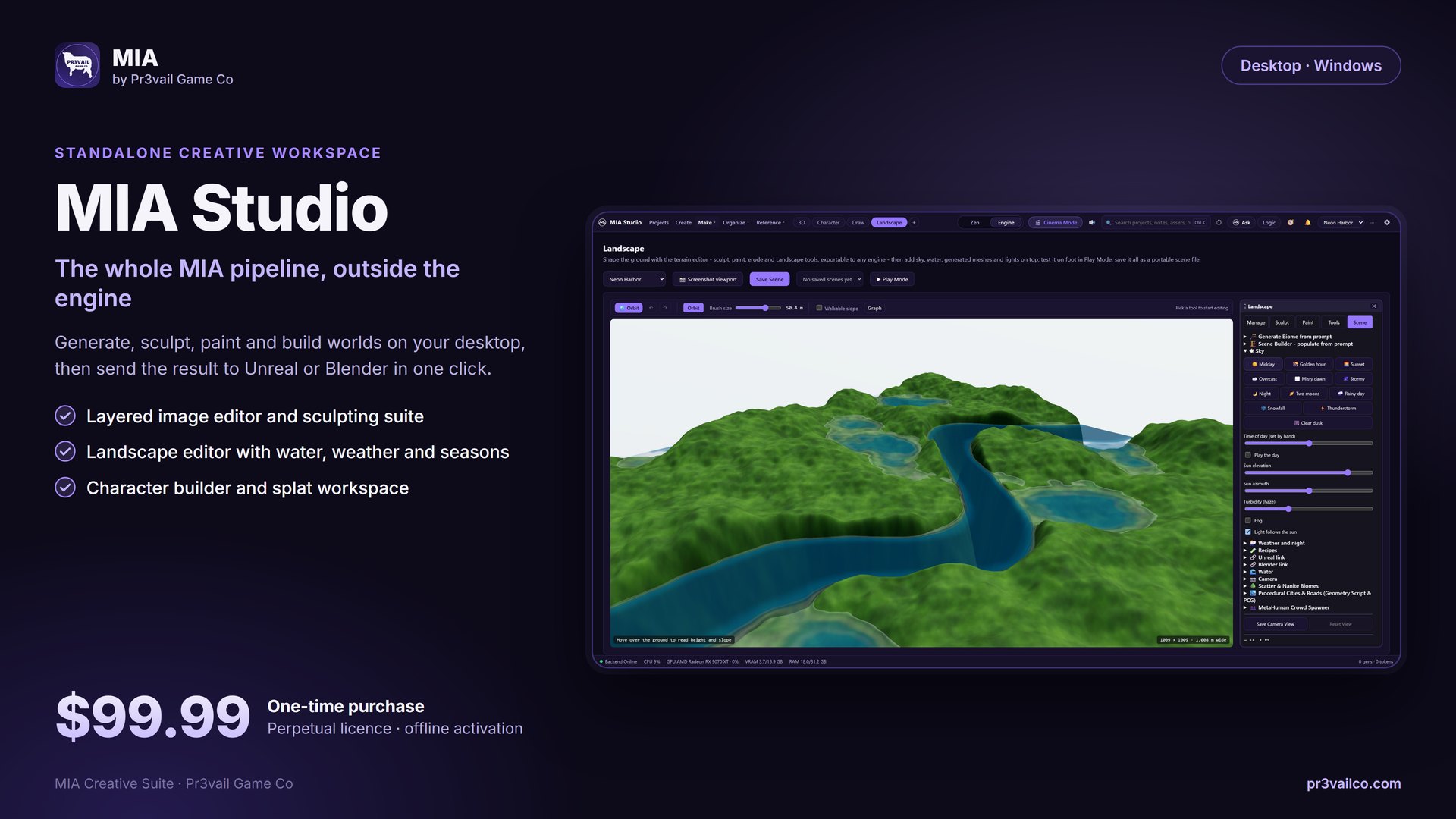
The whole MIA pipeline outside the engine: layered image editor, sculpting, landscapes with water and weather, a character builder and a splat workspace.
Plugin · Desktop · Tablet · Phone
MIA started as an AI copilot inside Unreal Engine 5.8. It is now a family of apps that share one pipeline: the Unreal plugin, MIA Studio on desktop, MIA for Blender, Lite on a tablet, Pocket on a phone, plus MotionForge, MIA Voice and Mia Social Studio. Generate, sculpt, dress, animate and ship characters and worlds, with local models first and cloud when you want it.
Fab creator account accepted — launching on Fab Marketplace soon
Direct Licenses · Instant Key Delivery
Perpetual licenses with offline Ed25519 activation. No subscriptions, no cloud lock-in, and zero telemetry. Secure checkout powered by Lemon Squeezy.
Instant license key delivery straight to your email
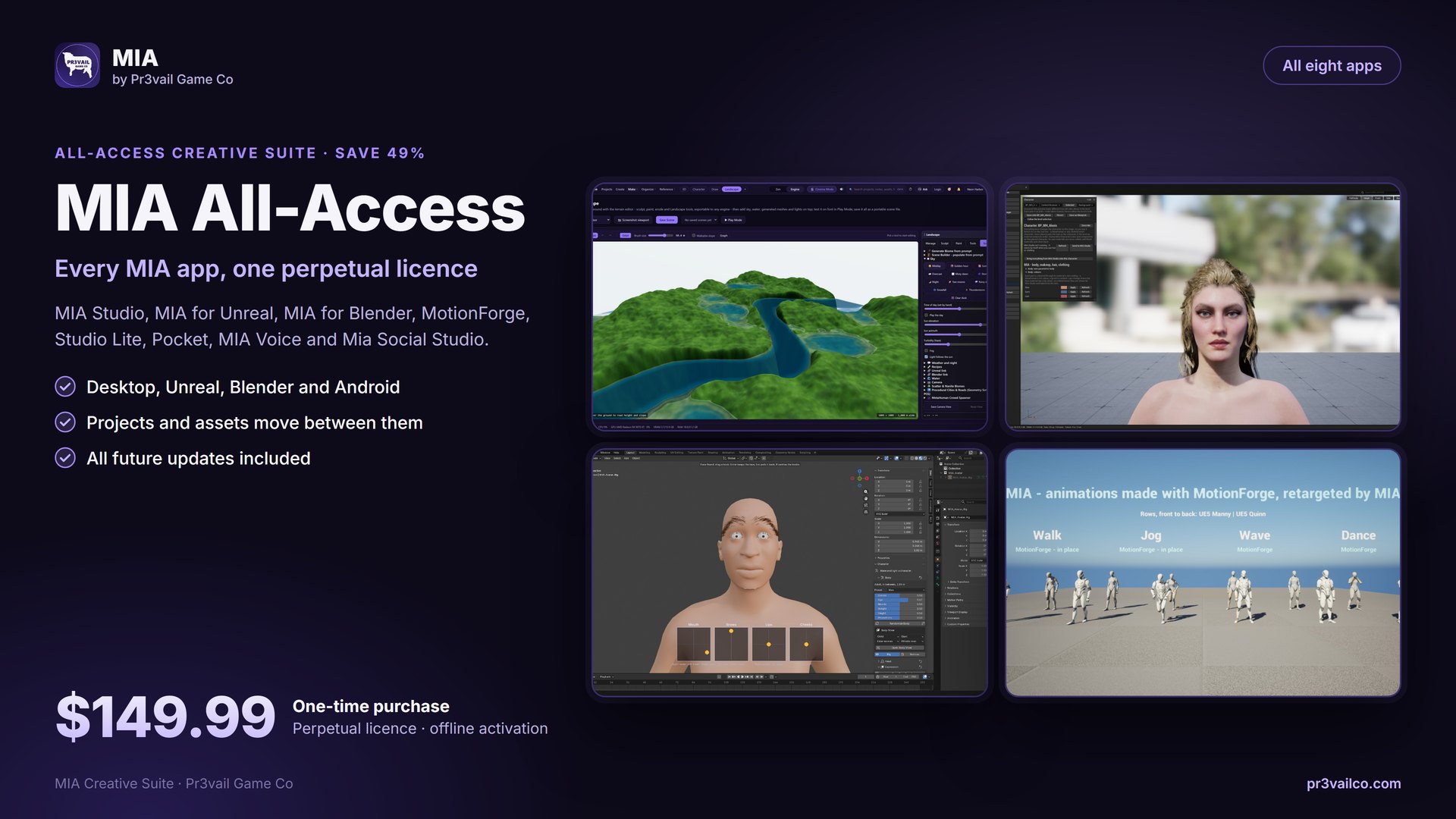
The full suite in one license. Includes MIA Studio (Desktop), MIA for Unreal Engine, MIA for Blender, MIA MotionForge, MIA Studio Lite, MIA Pocket, MIA Voice, and Mia Social Studio. All future updates included.
The whole MIA pipeline outside the engine: layered image editor, sculpting, landscapes with water and weather, a character builder and a splat workspace.
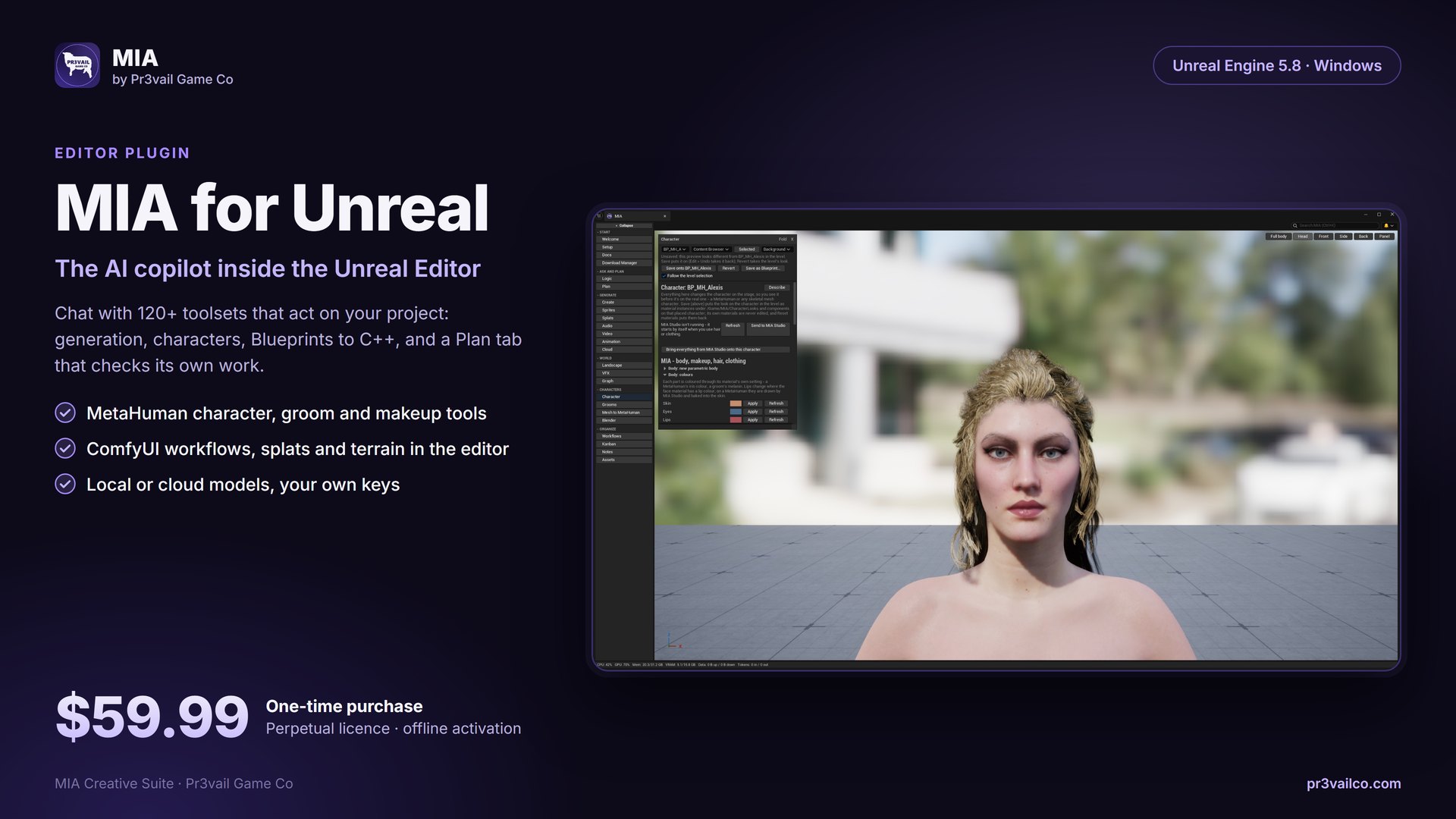
The AI copilot inside the editor: chat with 120+ toolsets, MetaHuman and character tools, Blueprints to C++, and a Plan tab that checks its own work.
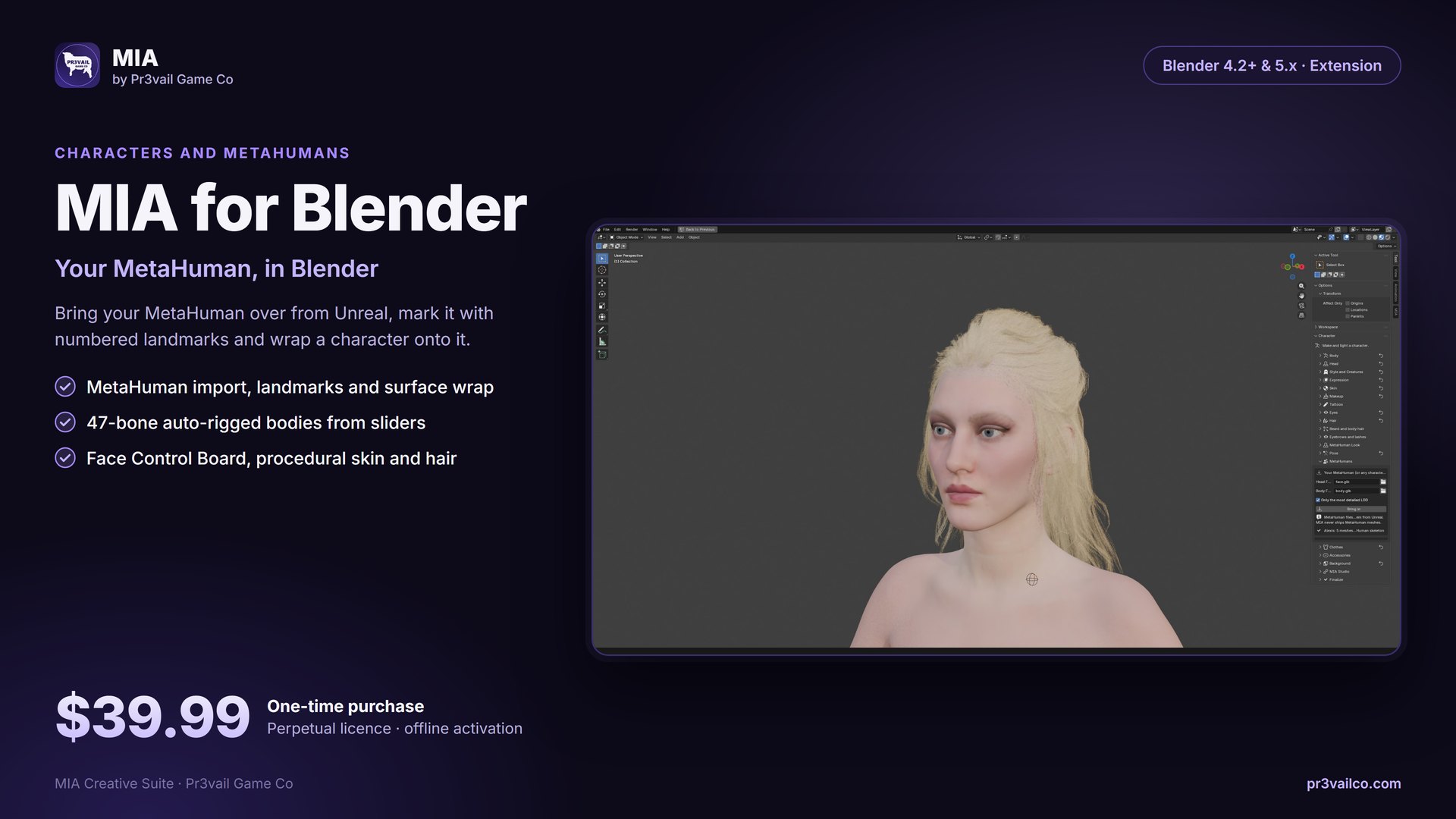
Parametric characters in the 3D Viewport: 47-bone auto-rigged body, Face Control Board, procedural skin and hair, wardrobe, creature morphs and MetaHuman wrap.
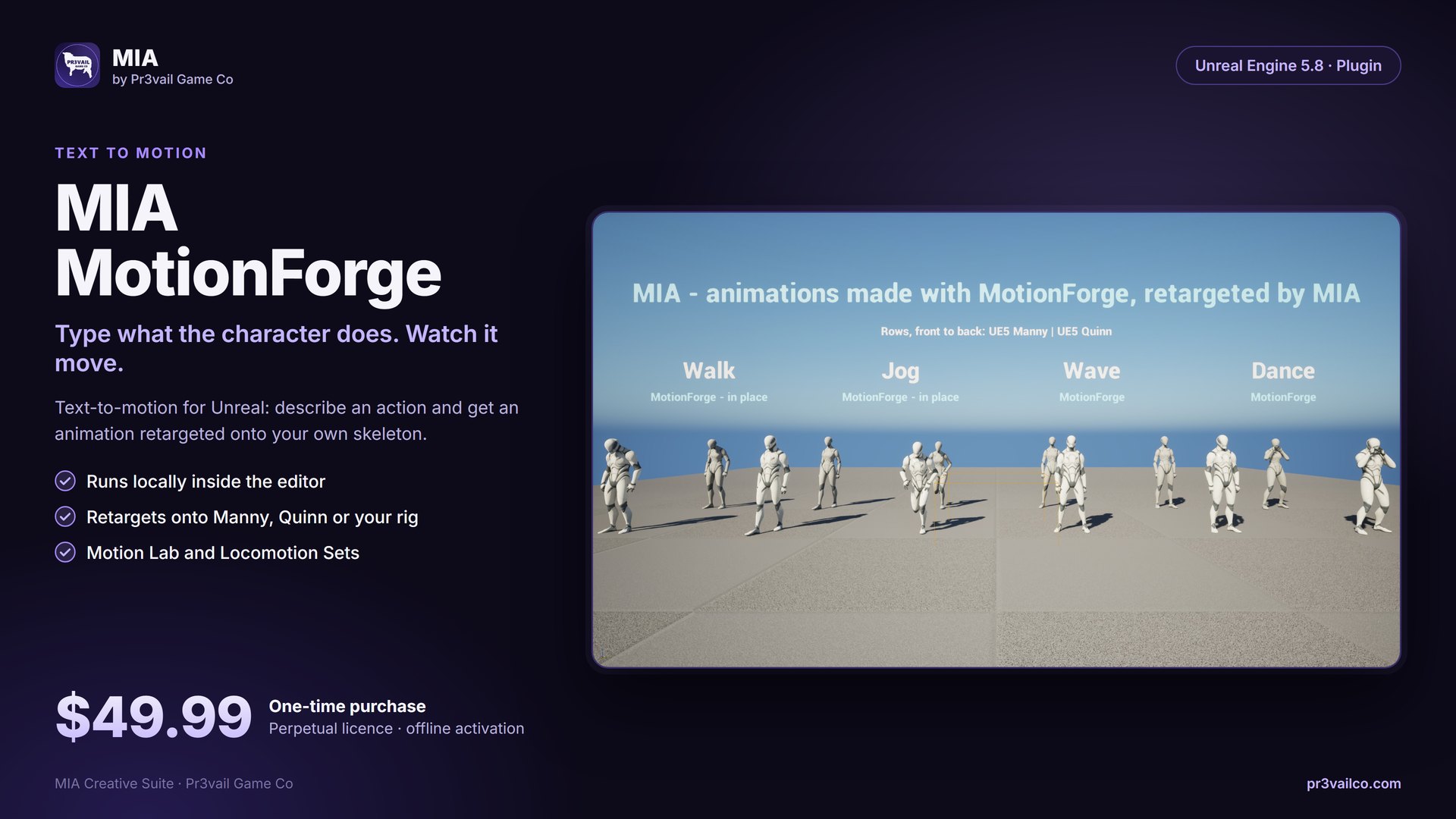
Text to motion for Unreal: describe what the character does and get an animation retargeted onto your skeleton. Runs locally in the editor.
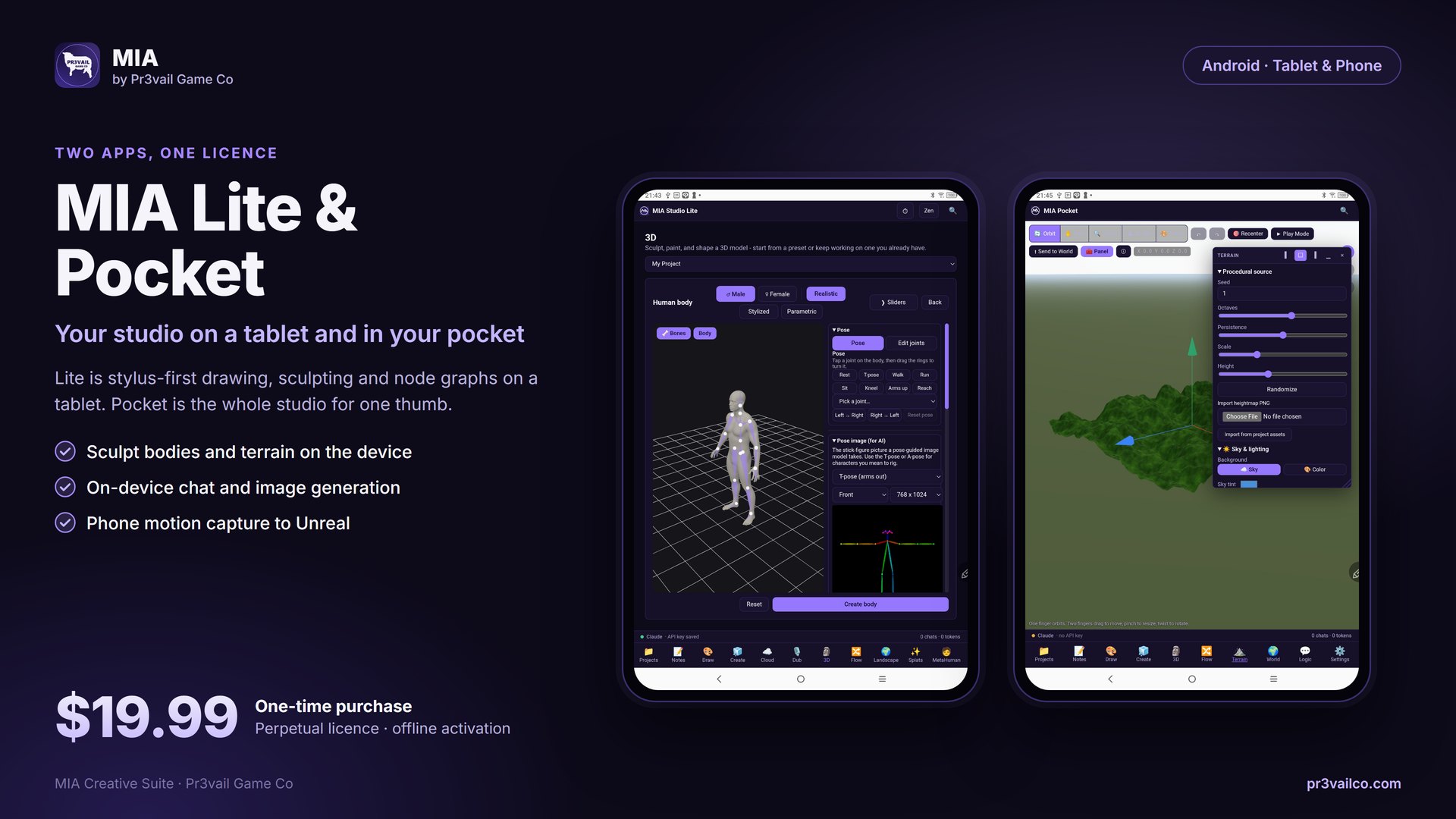
Lite: stylus-first drawing, sculpting and node graphs on a tablet. Pocket: the whole studio for one thumb, with phone motion capture to Unreal.
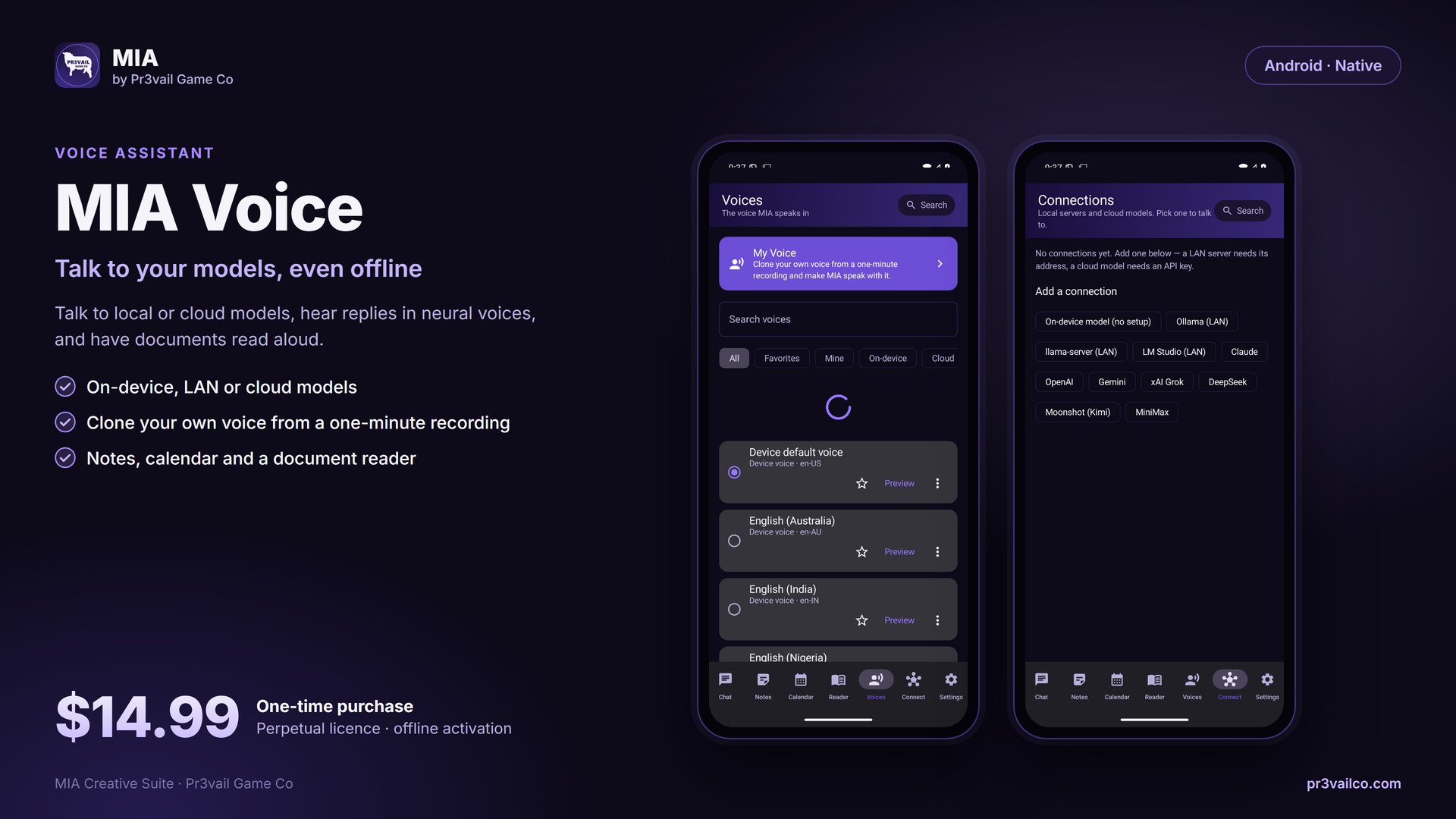
Talk to local or cloud models, hear replies in neural voices or your own cloned voice, and have documents read aloud. Works offline.
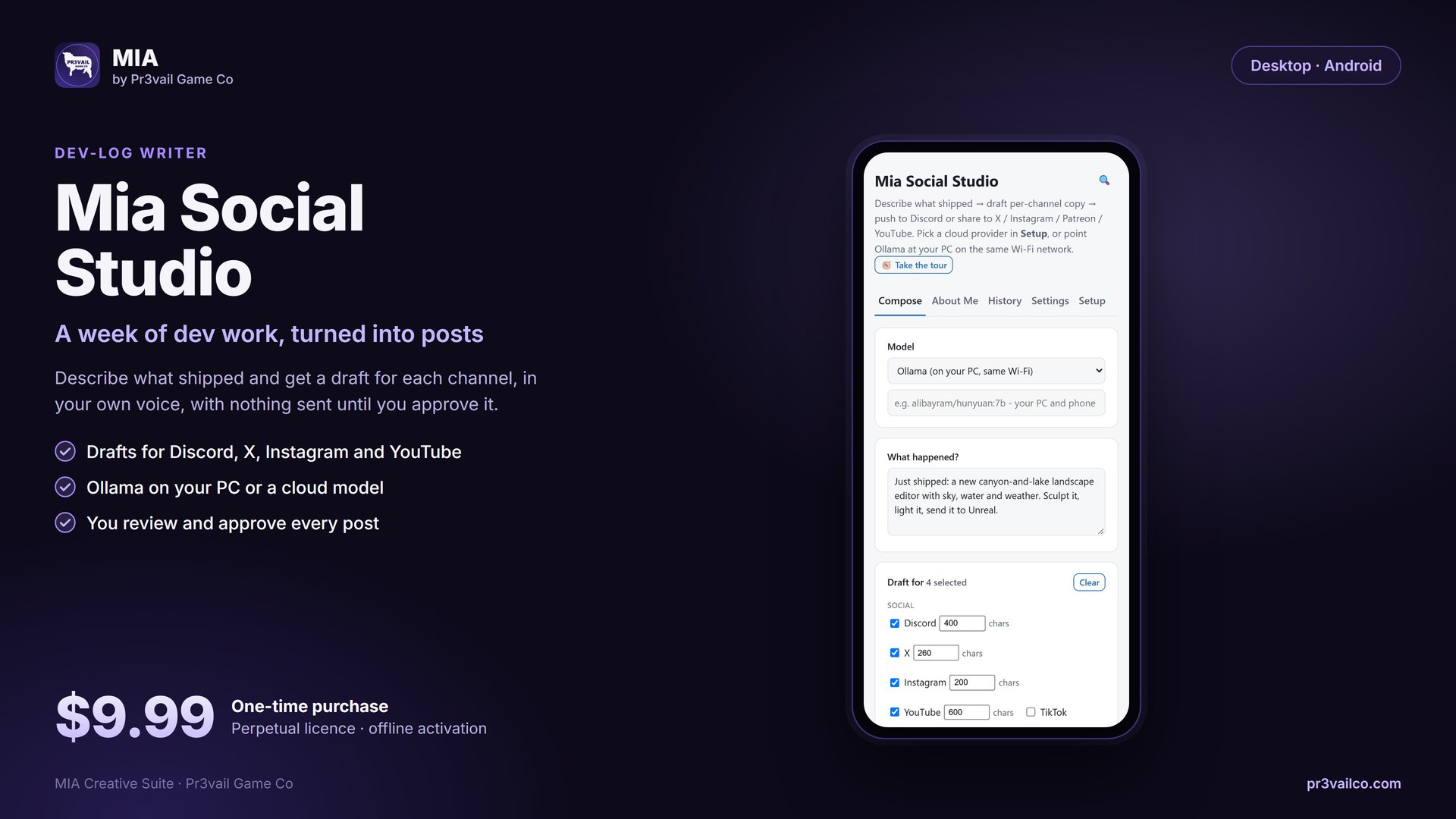
Turn a week of dev work into a post for each channel, in your own voice, with nothing sent until you approve it.
The MIA Family
Start a character on your phone or in Blender, finish it on desktop, drop it into Unreal with MetaHumans and mass crowds. Projects, brushes and assets move between them.
The AI copilot inside the editor: chat, 120+ toolsets, generation, characters, Blueprints to C++, and a Plan tab that checks its own work.
Launching on Fab Desktop · WindowsThe same pipeline outside the engine, plus a layered image editor, a sculpting suite, a character builder and a splat workspace.
Desktop app Blender 4.2+ & 5.x · ExtensionParametric character builder in the 3D Viewport: 47-bone auto-rigged body, Face Control Board, procedural skin & hair, wardrobe, creature morphs, and MetaHuman surface wrap.
Available now Android · TabletStylus-first drawing, sculpting and node graphs on a tablet, with on-device chat and image generation.
Coming soon to Google Play Android · PhoneThe whole studio rebuilt for one thumb: draw, sculpt, chat, plan, and capture phone motion for Unreal.
Coming soon to Google Play Unreal Engine 5.8 · PluginText-to-motion for Unreal: type what the character does, get a retargeted animation on your skeleton.
Fab listing in preparation Android · NativeTalk to local or cloud models, hear replies in neural voices, and have documents read aloud. Works offline.
Coming soon Desktop · AndroidTurn a week of dev work into posts for each channel, in your own voice, with nothing sent until you approve it.
Coming soonShowcase
Screenshots from working builds on our own machines. Nothing here is a mockup.
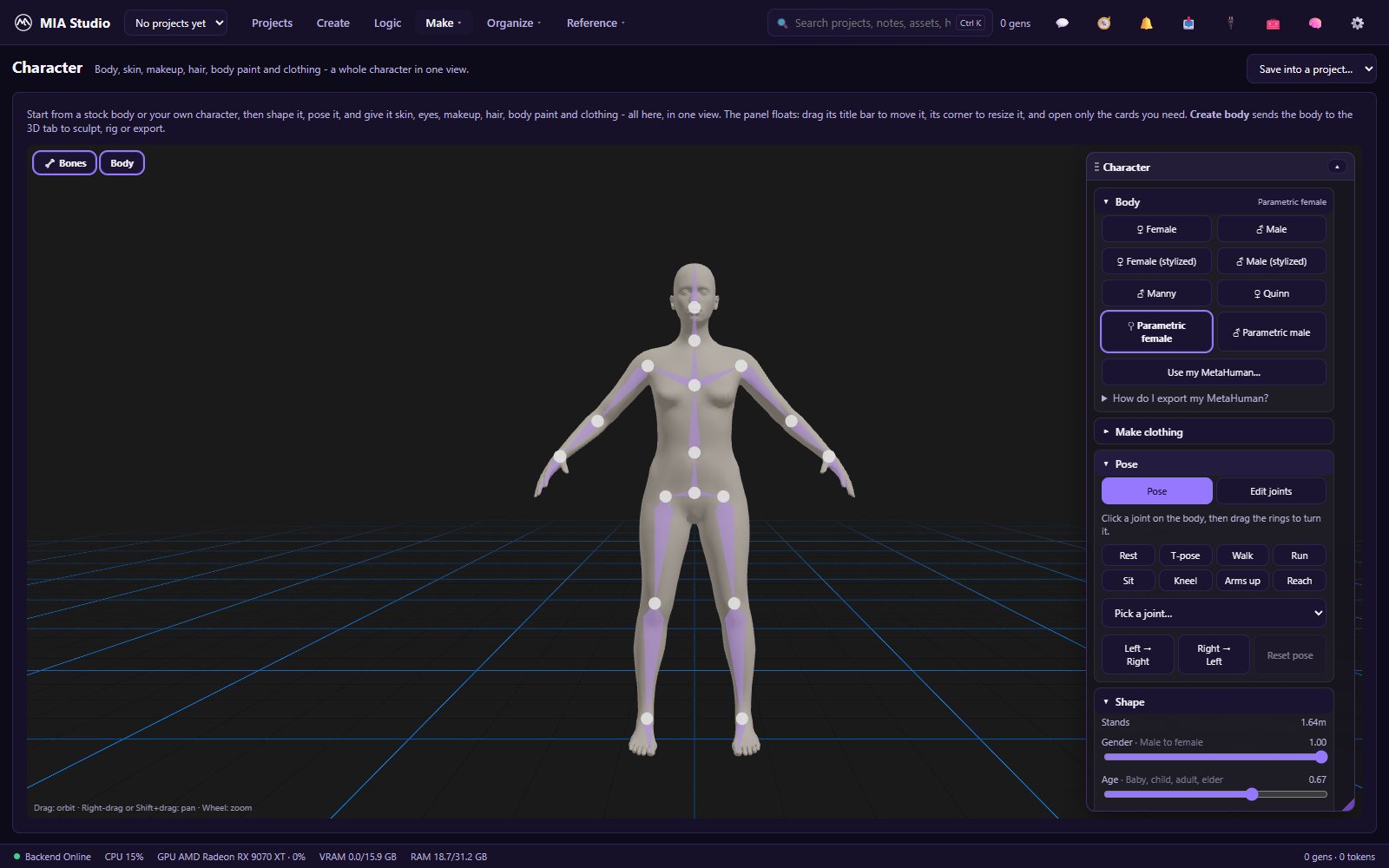
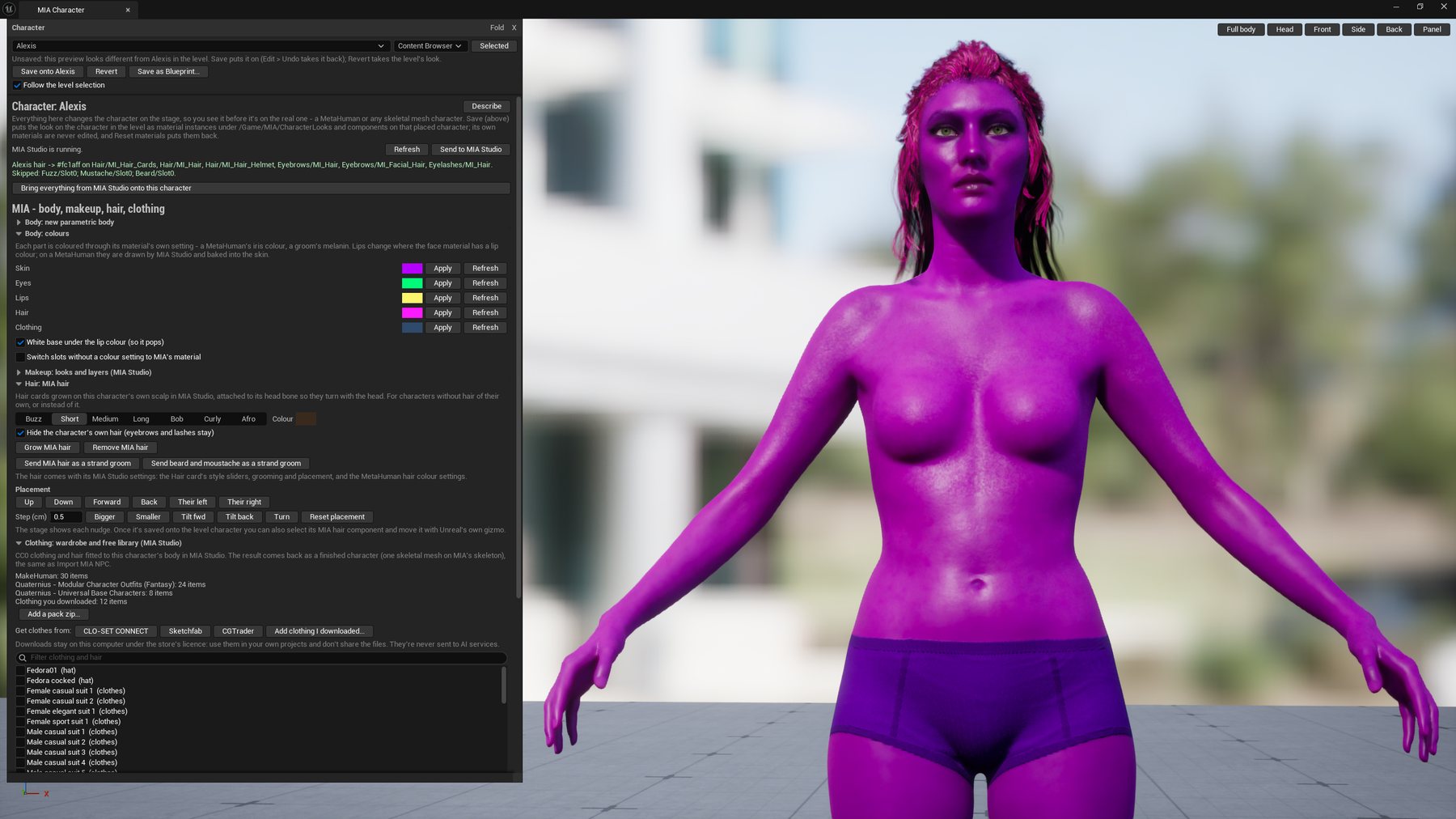
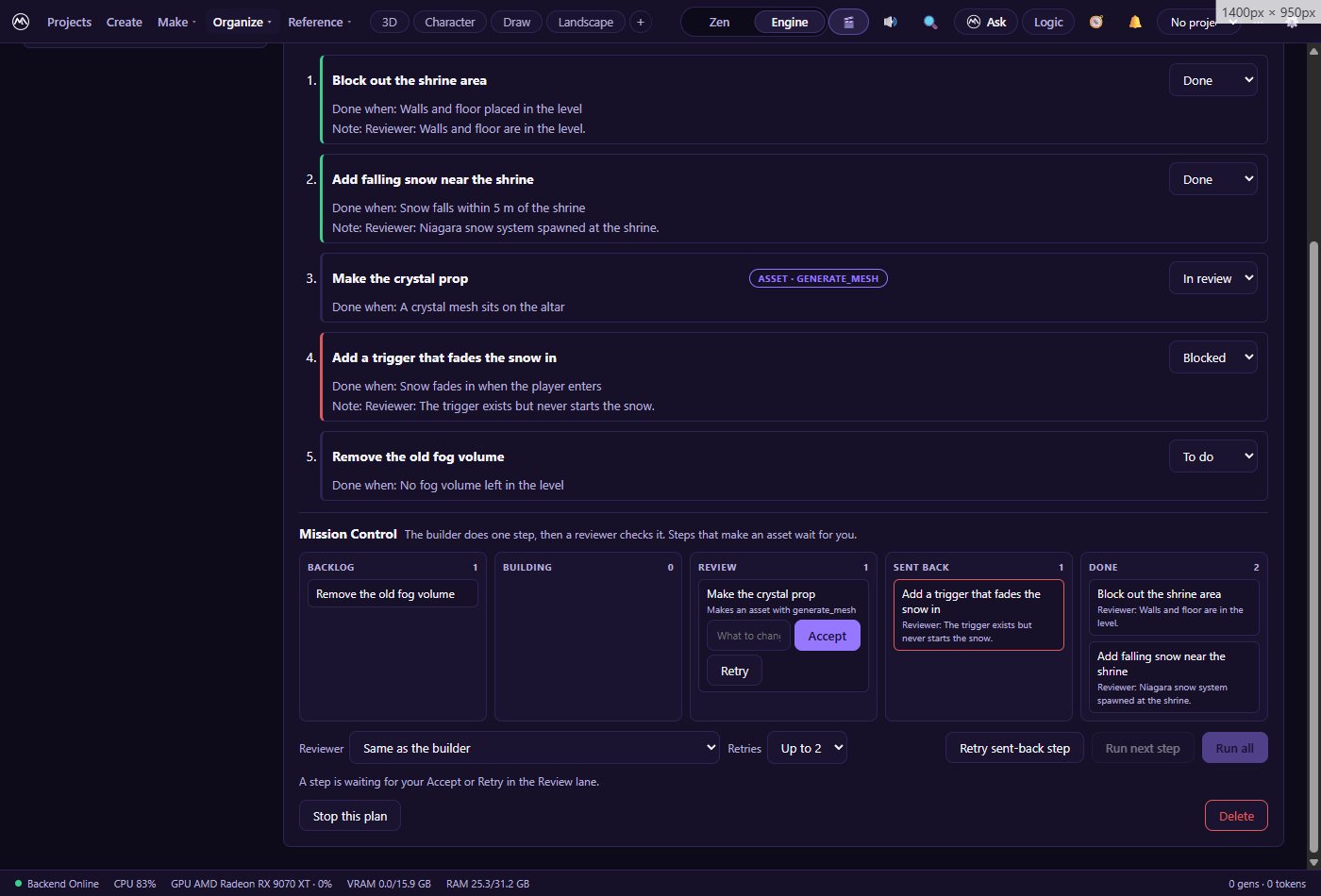
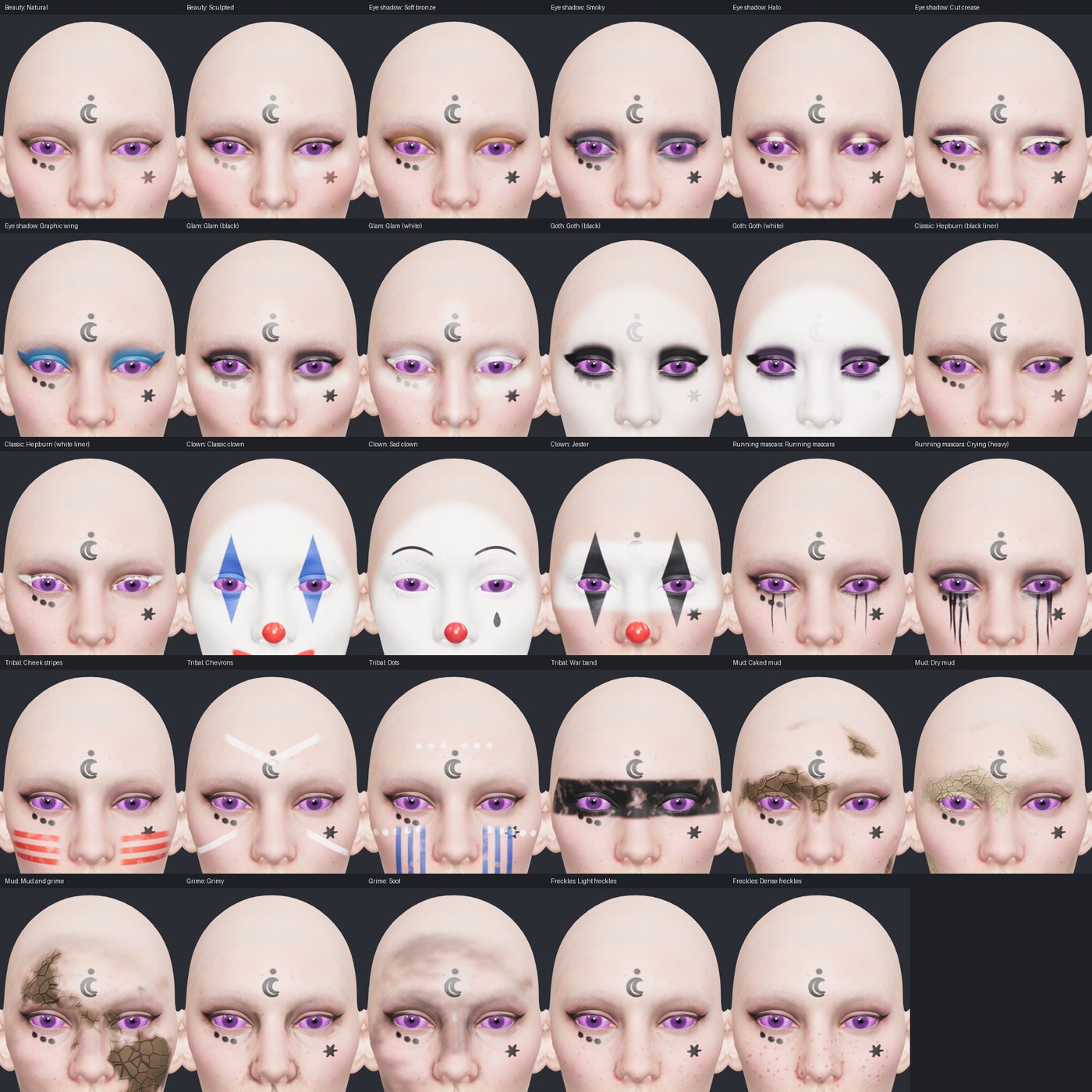
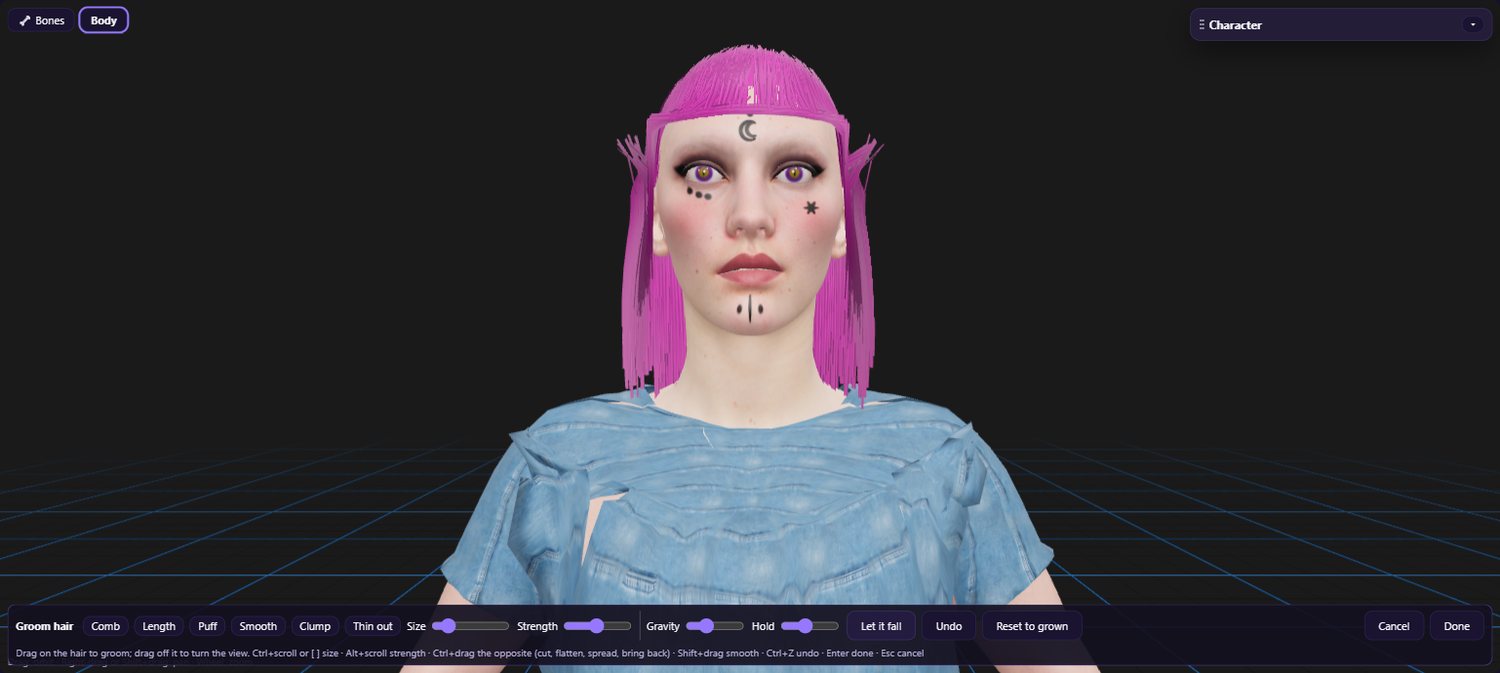
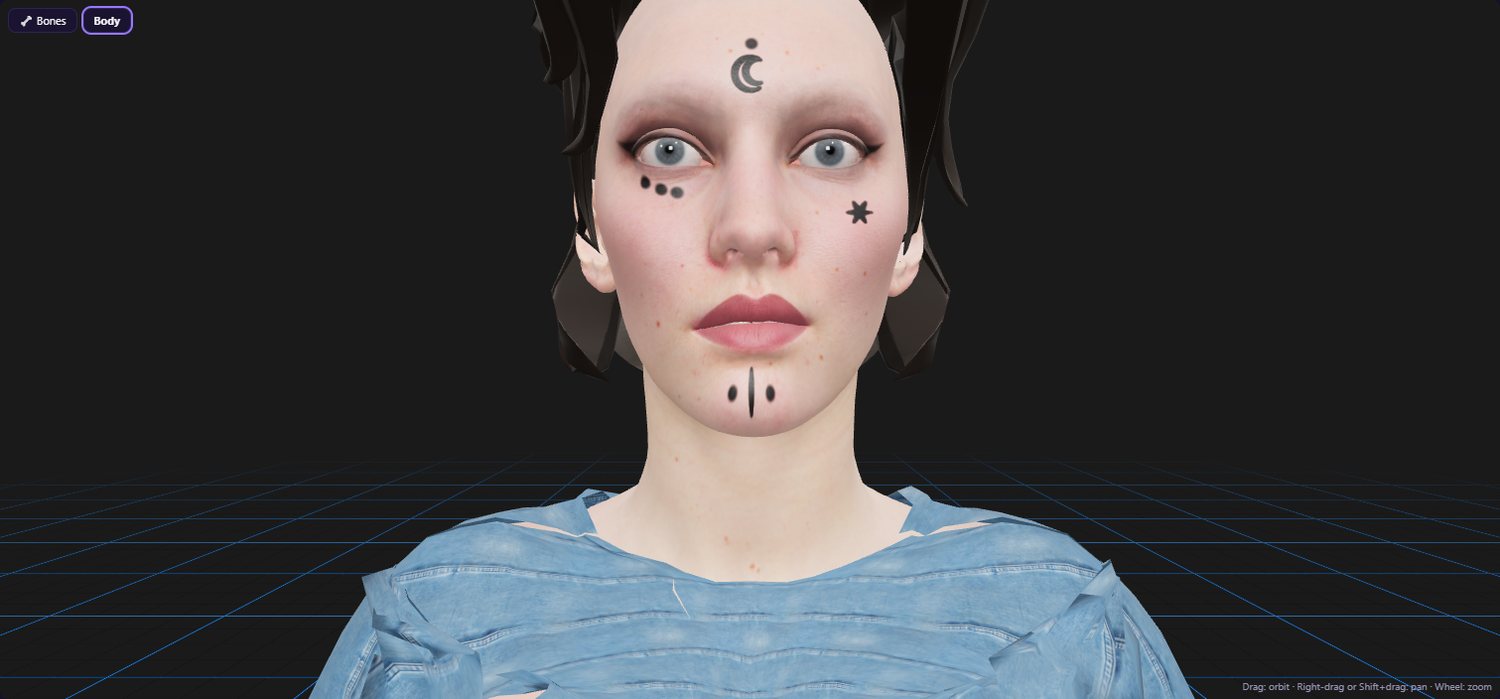
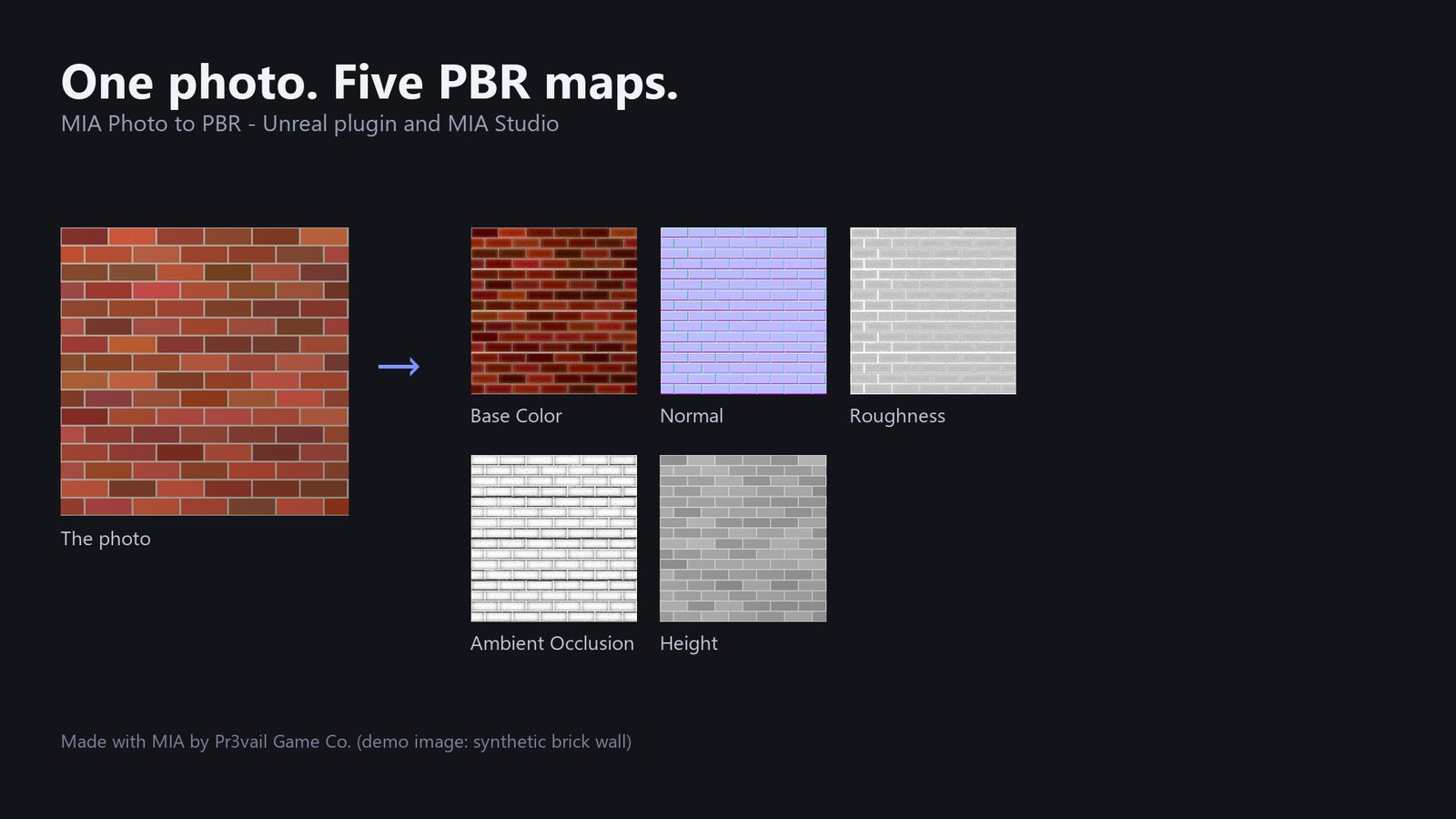
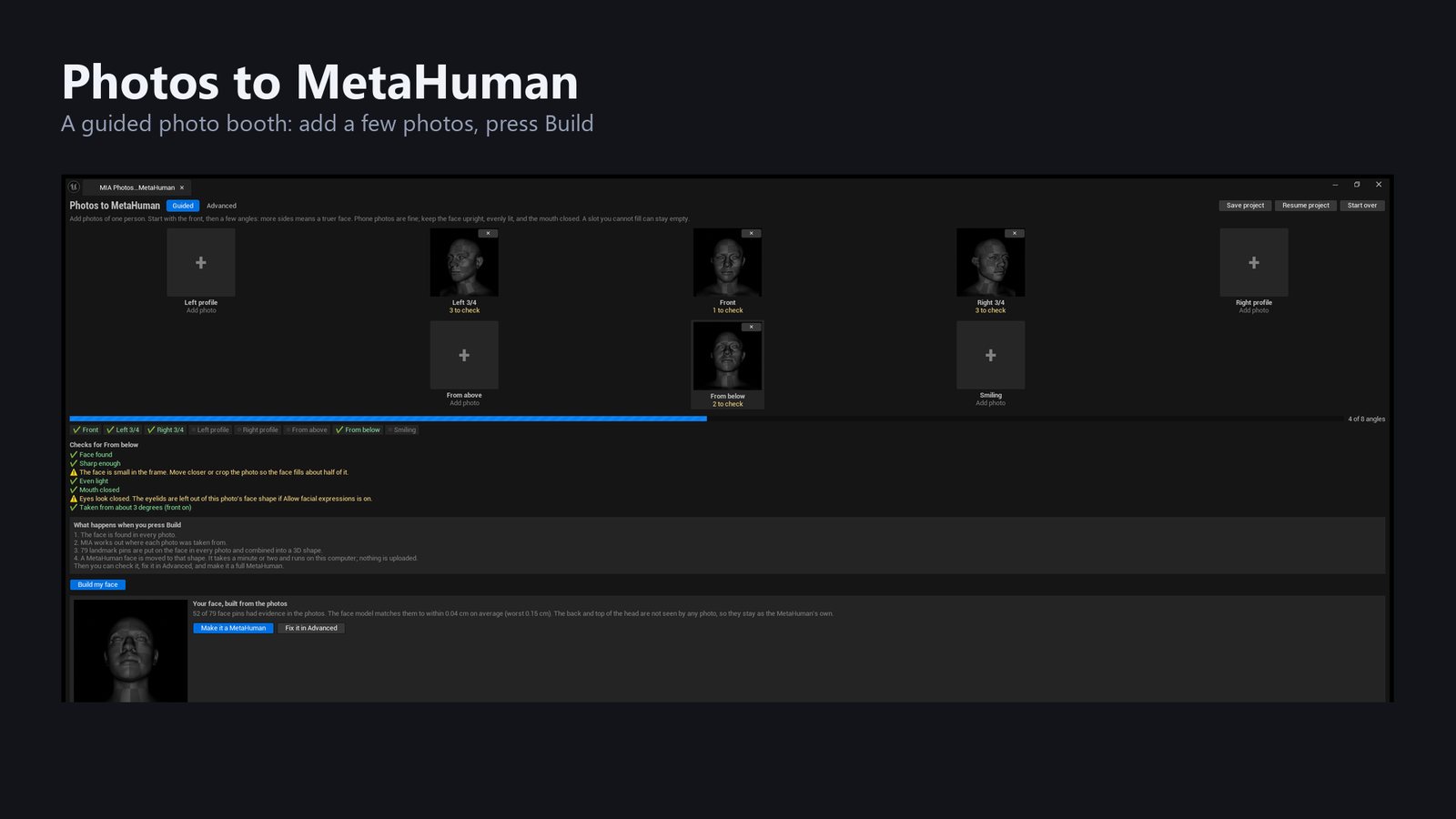
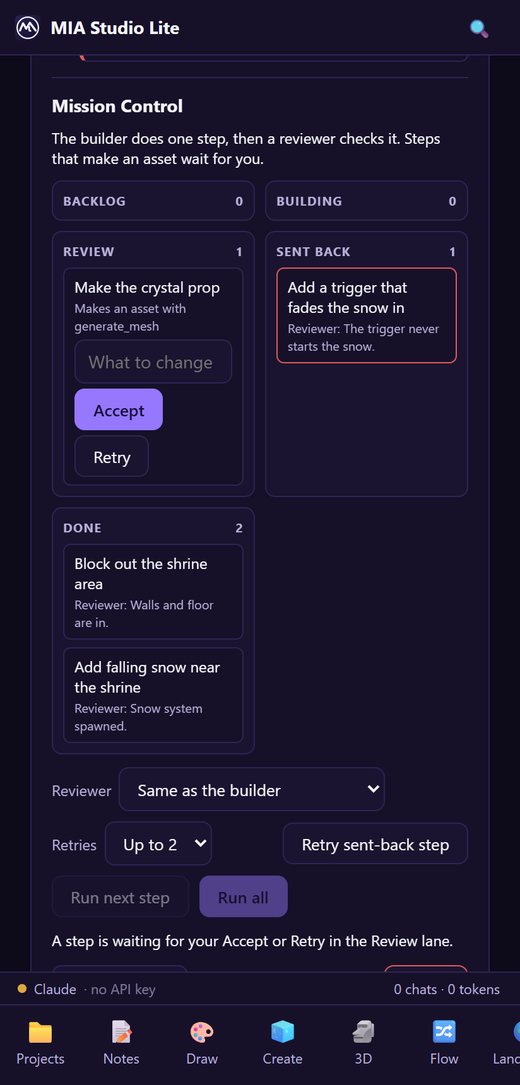
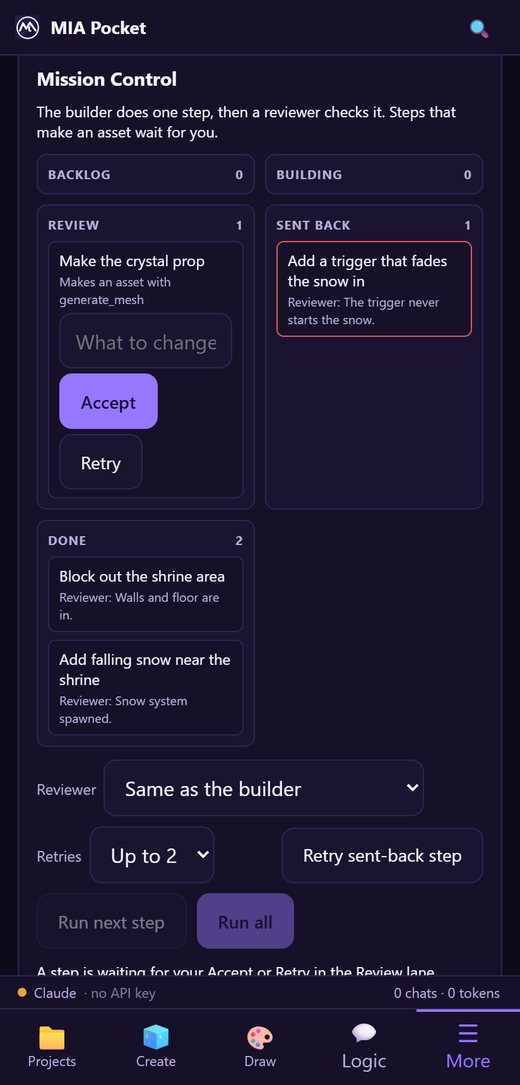
Write a plan on the desktop, approve steps from the couch. Lite and Pocket run the same Plan tab, reviewer and retry limits as Studio and the plugin, so a long job does not need you at your desk to keep moving.
New in October 2026
The last few weeks, grouped by what you are trying to do.
Dedicated Slate editor panel in Unreal and crowd tooling in Studio. Spawn MetaHuman mass agents, register Manny & Quinn entity configs, place them via EQS (grid/spiral patterns), inspect real-time telemetry badge cards (Entities, Visible, Actors, ISKM), and preview 3D capsules.
Plugin · StudioFull integration with Epic's Mutable engine: build foundational Customizable Object Character Kits, drop in skeletal mesh garments with automatic clip volumes, auto-wire merge modifiers, verify skeleton bindings, and bake runtime instances.
Plugin · StudioA native extension for Blender 4.2+ & 5.x. Parametric rigged body (Anny), 2D Body Mixer, Face Control Board with 4 draggable live pads, procedural skin, eyes, layered makeup, tattoos, strand hair, wardrobe with auto-clipping body masks, volume-preserving skinning, creature morphs, and MetaHuman surface wrap.
Blender ExtensionA Plan tab and a Plan button in chat. The AI writes a plan, a builder does one step, and a separate reviewer checks it against evidence: tool results and the editor log. Choose the reviewer and a retry limit, build a plan from a document, and revert a single asset or a whole turn. An Auto mode is always optional.
Plugin · Studio · Lite · PocketScaffold a C++ class from a Blueprint and translate its logic: branches, loops, timers, delays, timelines, casts, spawns, struct nodes and common array calls. Anything it cannot translate is marked in the file. A compile-check runs the file through the real build tool.
PluginRun a play session with one player or a dedicated server and several clients, sample the world, compare replicated actors, collect editor errors and optionally trace performance. The result goes to the reviewer, so "it works" is checked, not claimed.
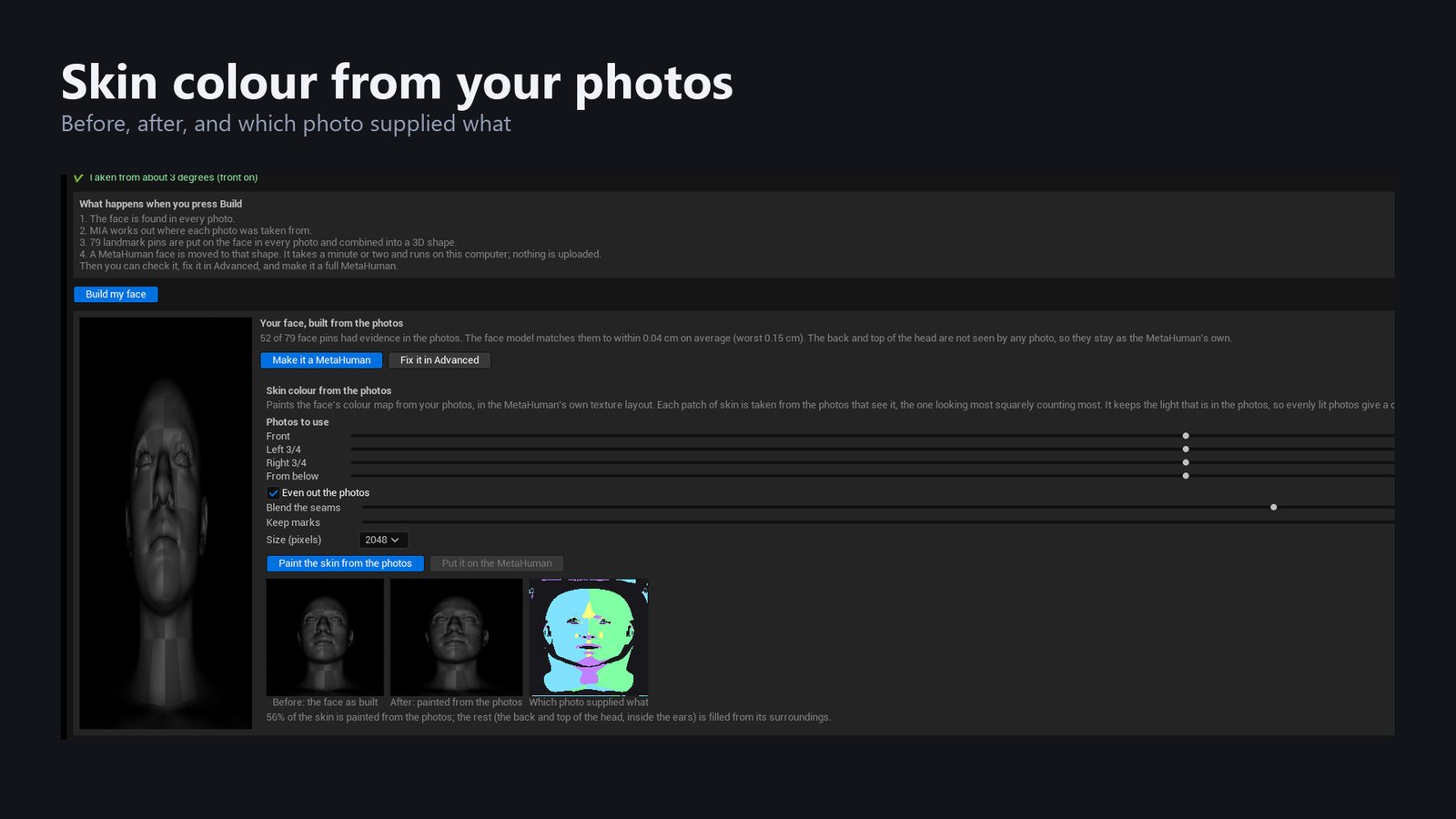
PluginA guided photo booth or an advanced pin editor builds a face from a few photos, then paints skin colour from them. In the Unreal plugin and in MIA Studio.
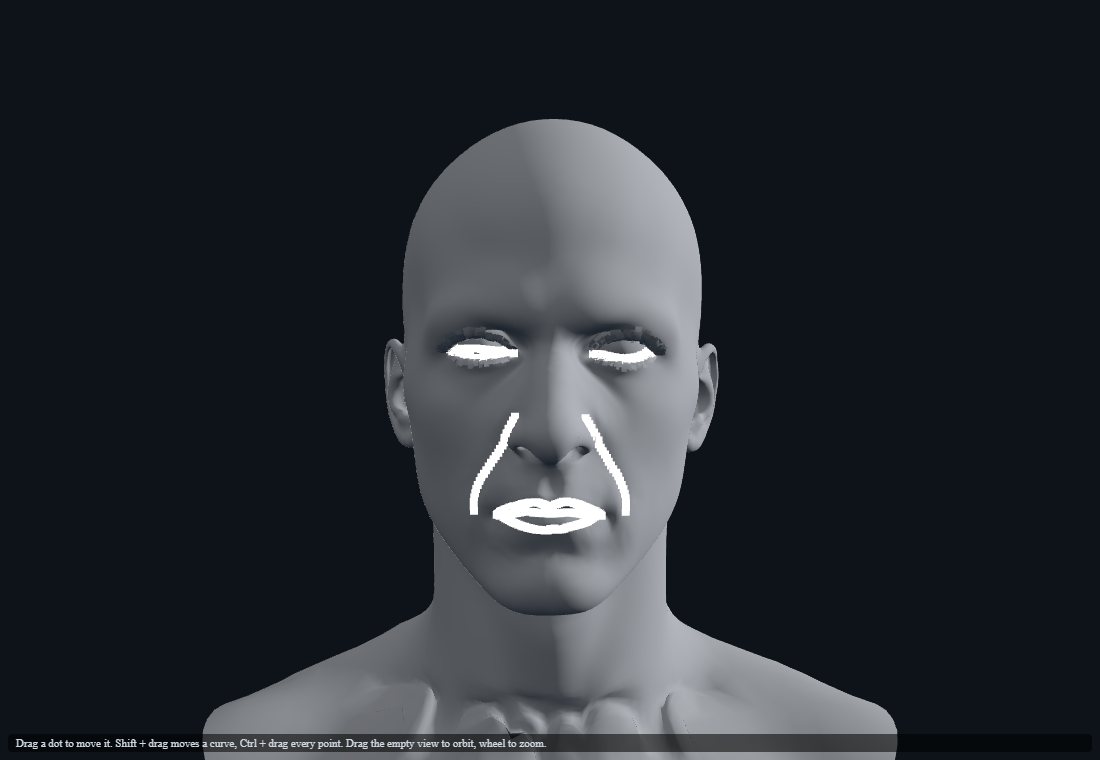
Plugin · StudioA landmark review with a 3D view, before and after preview and undo, Save and Resume for a project, and a last step for horns and ears that skins what sticks out of your mesh to the head. Lite and Pocket drive it over the desktop relay.
Plugin · StudioBody, skin, eyes, lips, makeup, hair, body paint and clothing in one view. Parametric bodies (age, gender, proportions), 29 makeup looks, hair cards and strand grooms, beards, and a wardrobe of free and bring-your-own clothing with a CLO fit preview.
Plugin · StudioPackage a scalp, beard or brow groom as an importable set that MetaHuman Creator and the MetaHuman manager recognise, with a hair library and parametric hairstyles.
PluginTrain a Gaussian Splat from photos or a video locally, build a walkable world from one 360 photo or a 360 video, clean up floaters, export a collision mesh, and save as .ply, .spz or glTF. A NanoGS asset opens straight in Unreal.
Plugin · StudioDraw an OpenPose skeleton from any UE mannequin or MetaHuman animation and feed it to SDXL workflows. The library now holds 54 ready workflows, from one pose to four NPC archetypes, to turnaround and expression sheets, time-of-day variants and style transfer. All use permissively licensed models.
Plugin · Studio · Lite · PocketOpen a page on your phone from a QR code, capture face and body, and stream it into Unreal over Live Link. Face curves use the ARKit names MetaHuman expects; the body drives a SOMA skeleton.
Early · Studio · Pocket · PluginRain, snow and lightning with audio, Nanite grass, flowers and trees, a terrain mix layer, time of day and sun light. Send a static mesh to Blender, edit it, pull it back or restore the original. The Tripo3D integration now targets its V3 API.
Plugin · StudioDry run completes every node with a stub so you can check the wiring with no keys, GPU or cost. Reuse earlier results, and keep a run manifest of what happened.
Plugin · Studio · Lite · PocketSemantic search for panels, notes and assets using a small embedding model that runs locally in Studio, Lite, Pocket, Voice and Social Studio. No account and no upload.
All appsBuild a locomotion set (walk, run, turn, stop) from text, edit takes on a timeline, and retarget to MetaHuman, Mixamo or CC skeletons. MotionForge and the MIA Animation tab stay in step.
MotionForge · PluginMIA for Unreal Engine 5.8
One plugin, more than 120 toolsets and 2,700 AI-callable functions, all running natively inside the Unreal Editor — no context switching, no external round-trips.
Produce meshes, textures, and landscapes from text or reference images — powered by ComfyUI, Tripo3D, Meshy, and more. Procedural terrain noise and real heightmap import bring landscapes into the same one-click pipeline.
A dedicated Pixel Lab surface — text-to-sprite, style-referenced generation, multi-frame animation, and masked inpainting, with a crisp nearest-neighbor resize control for whatever comes back.
Generate a splat from one photo, or train one locally from your own footage. Import from Postshot, Scaniverse, Polycam, and more.
Not found on any other Fab pluginText, a starting image, or reference frames into a real video clip — MiniMax H3 (Hailuo 3.0): up to 2K, 4–15 seconds, with native audio in a single pass. In the editor, in MIA Studio, and metered through MIA Cloud.
Generate baseline motion from a text prompt, import real BVH mocap, and train a neural locomotion controller — all in one tab.
Niagara-driven fluid and particle effects, tunable straight from the panel — no manual system graph wiring required.
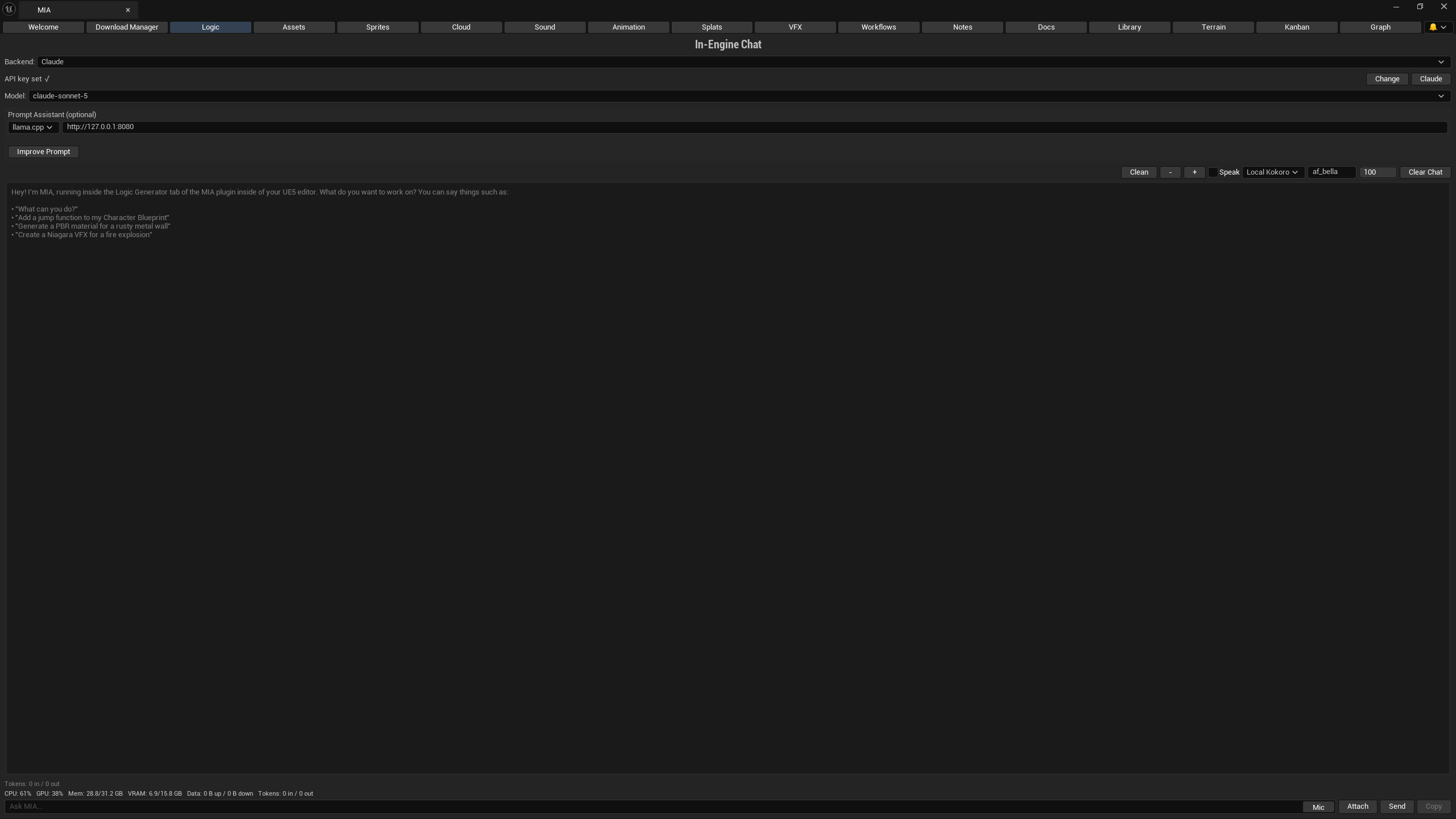
Talk to Claude, OpenAI, Gemini, Grok, MiniMax, DeepSeek, local Ollama/LM Studio models, or your own OpenAI-compatible endpoint from a dockable chat panel with live streaming. OpenAI is a first-class provider row with a live-fetched model list, and both Claude Code CLI and OpenAI Codex CLI logins work as backends if you would rather use a subscription than a per-token key. Ask it to read a real webpage, PDF, or video transcript and it will — not just a search snippet.
Turn it on and MIA can move your real mouse, click, type, and take a screenshot to show you exactly what to do — off by default, and every action still needs your approval.
Let MIA's chat script a running Blender session directly — create, rig, and material objects in real time, not just import/export.
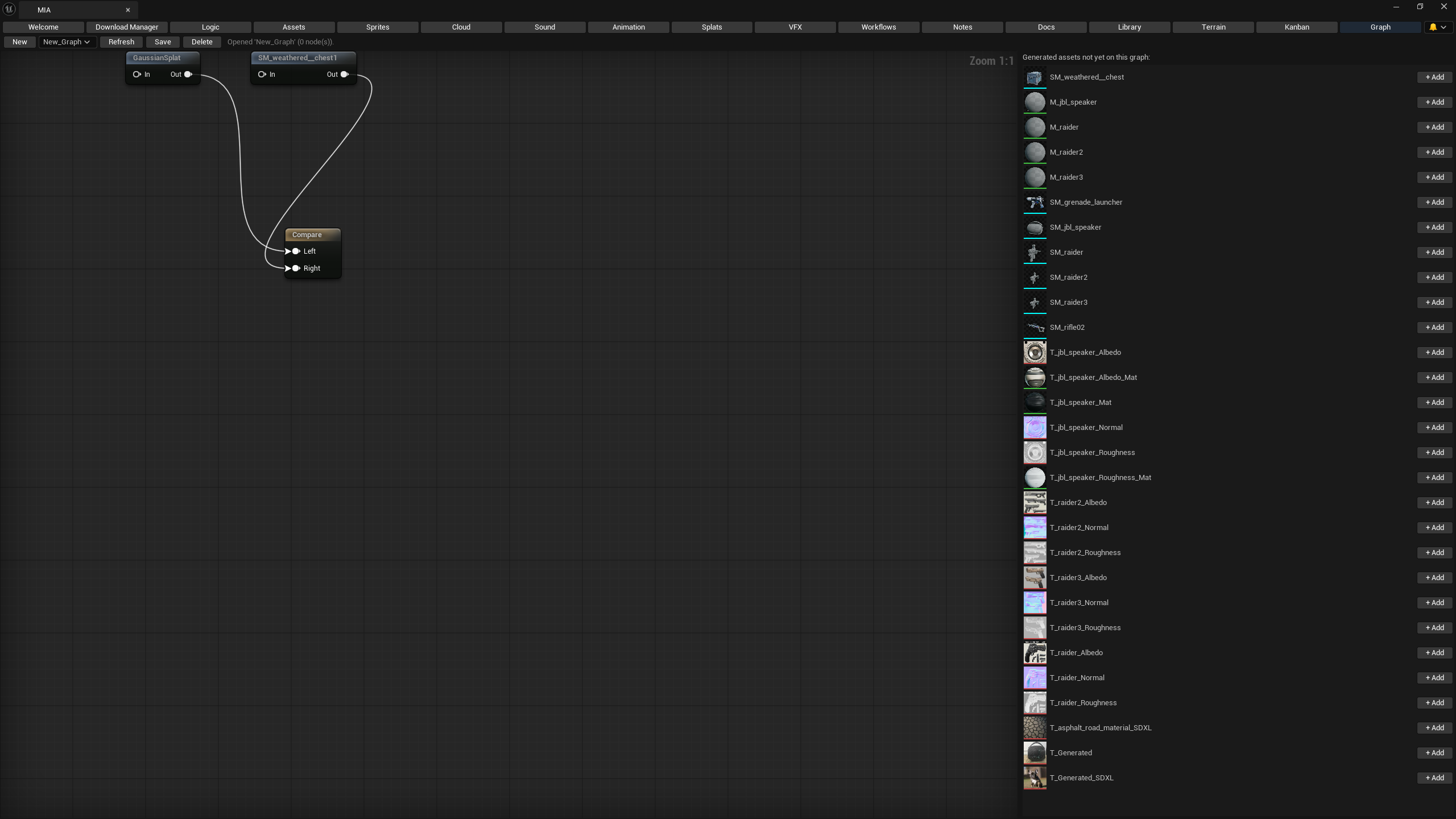
Not found on any other Fab pluginChain generation and automation nodes on a graph canvas, pick from 17 ready-to-run starter templates, or let an orchestrator agent build the workflow for you.
Core toolsets ship as first-class native plugins — full API parity, no Python bridge, no runtime dependency overhead.
Run entirely offline with local models where it counts — cloud providers are opt-in, never required.
Every generated texture, mesh, sprite, and sound in one searchable, filterable browser — no more hunting across toolsets for what you already made.
Some C++ changes need a real editor restart, which used to end the conversation. MIA can now save what she was doing, close the editor, rebuild, relaunch it, and pick the thread back up on the other side — every step still behind the same per-call approval dialog. Full history replay on the Claude CLI backend; other backends come back with a note about where they left off.
NewA native Agent Skill that chains Live Coding compiles, automation tests, a real Play-In-Editor session, and log reading into a single verification pass — so MIA can check her own work against the running editor instead of handing you code she has never compiled.
NewTake a Rodin- or Tripo-generated mesh straight through a headless Blender cleanup pass (apply scale, fix normals, optional decimate) and hand it off to Reallusion AccuRig for rigging, then import the rigged FBX back — all from the Animation tab. Gaussian Splats get an Open in SuperSplat button that launches the real hosted editor instead of telling you to go find it.
NewBuild a shader on MIA Studio's node canvas, then land it in Unreal as a real Material — the graph compiles to self-contained HLSL, each output channel becomes a Custom expression, and MIA wires them onto Base Color, Metallic, Roughness, Normal, Emissive, and Opacity for you. Graphs that can't survive the translation are rejected with the specific reason, not silently half-imported.
NewA native Slate panel (Tools > MIA > MIA: MetaHuman Crowd Spawner) and workflow graph nodes to build and preview large-scale crowd simulations in the editor. Spawn AMetaHumanMassSpawner actors at the origin or active camera, register Manny & Quinn entity configs with proportion sliders, attach EQS queries (grid/circle), trigger editor-time preview spawning, and monitor real-time telemetry badge cards (Entities, Visible, Actors, ISKM).
Full tooling for Epic's Mutable engine (Customizable Objects): create foundational Character Kit graphs from body meshes, drop in skeletal mesh garments and static mesh clip volumes, auto-wire merge modifiers, verify material assignments, and bake runtime-optimized instances.
NewOne install from the Fab Marketplace once launched. No manual builds, no missing dependencies — it just works.
In The Editor
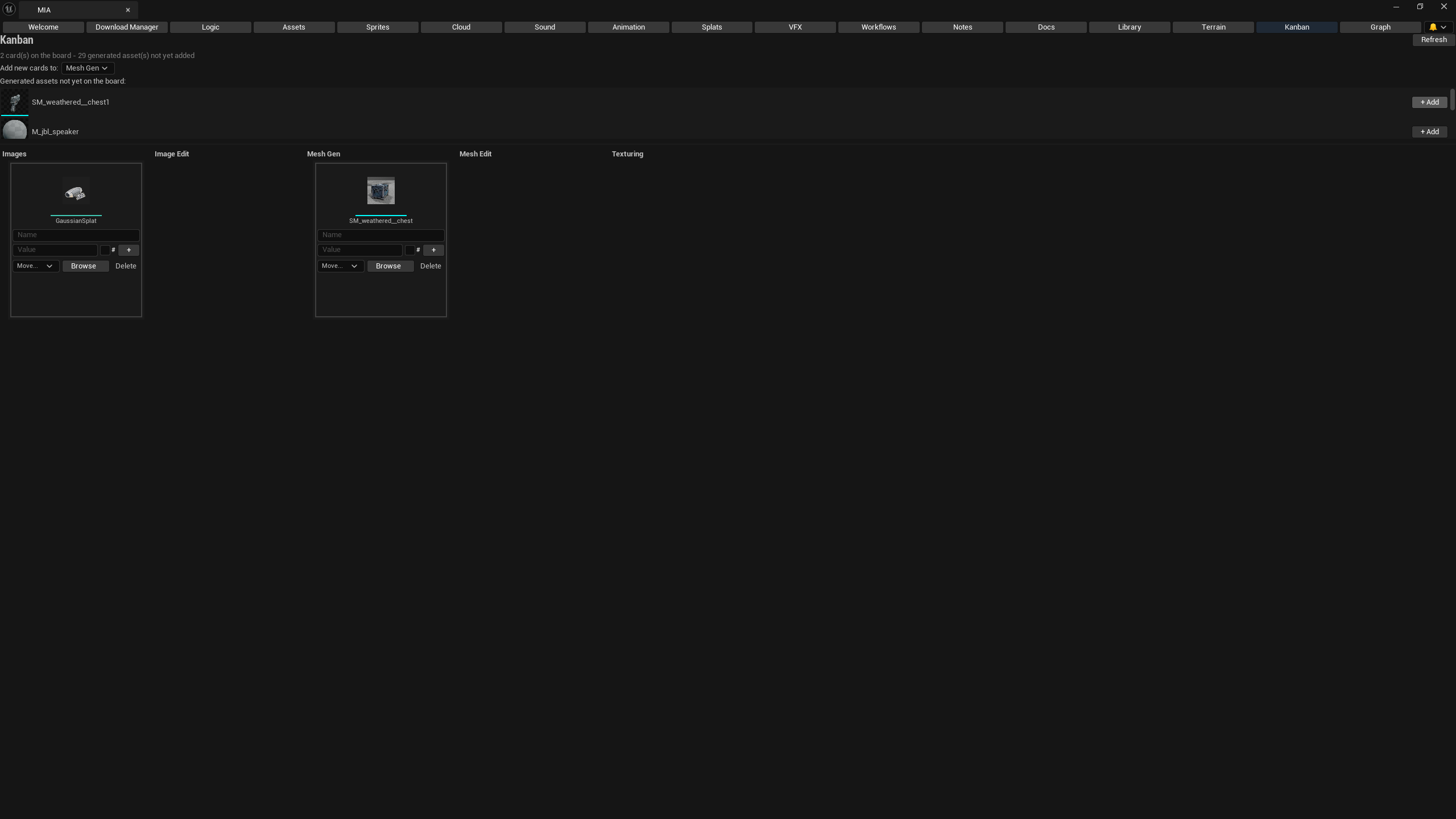
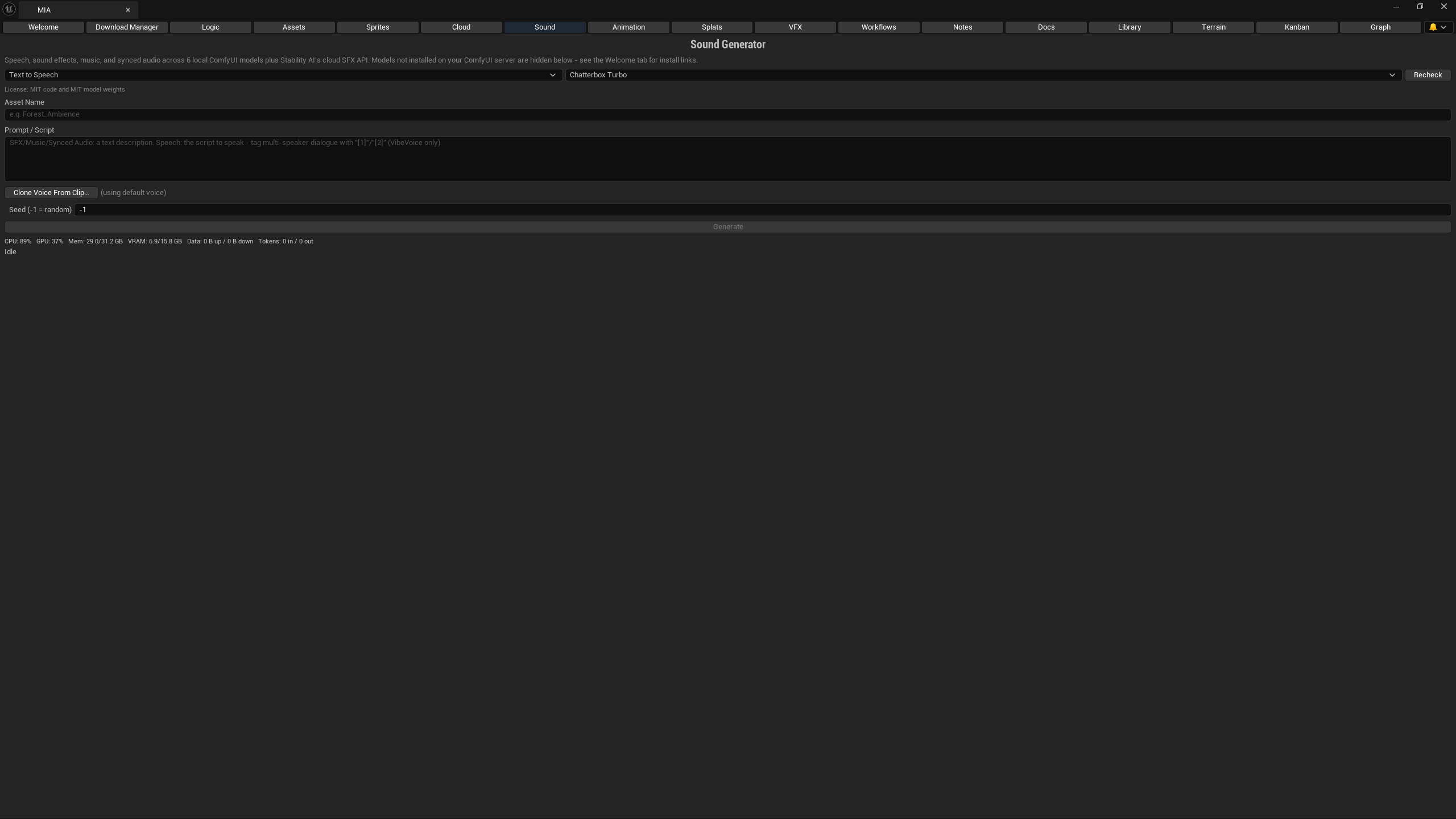
Live captures from a real Unreal Engine 5 project running MIA — no mockups, no staged renders.
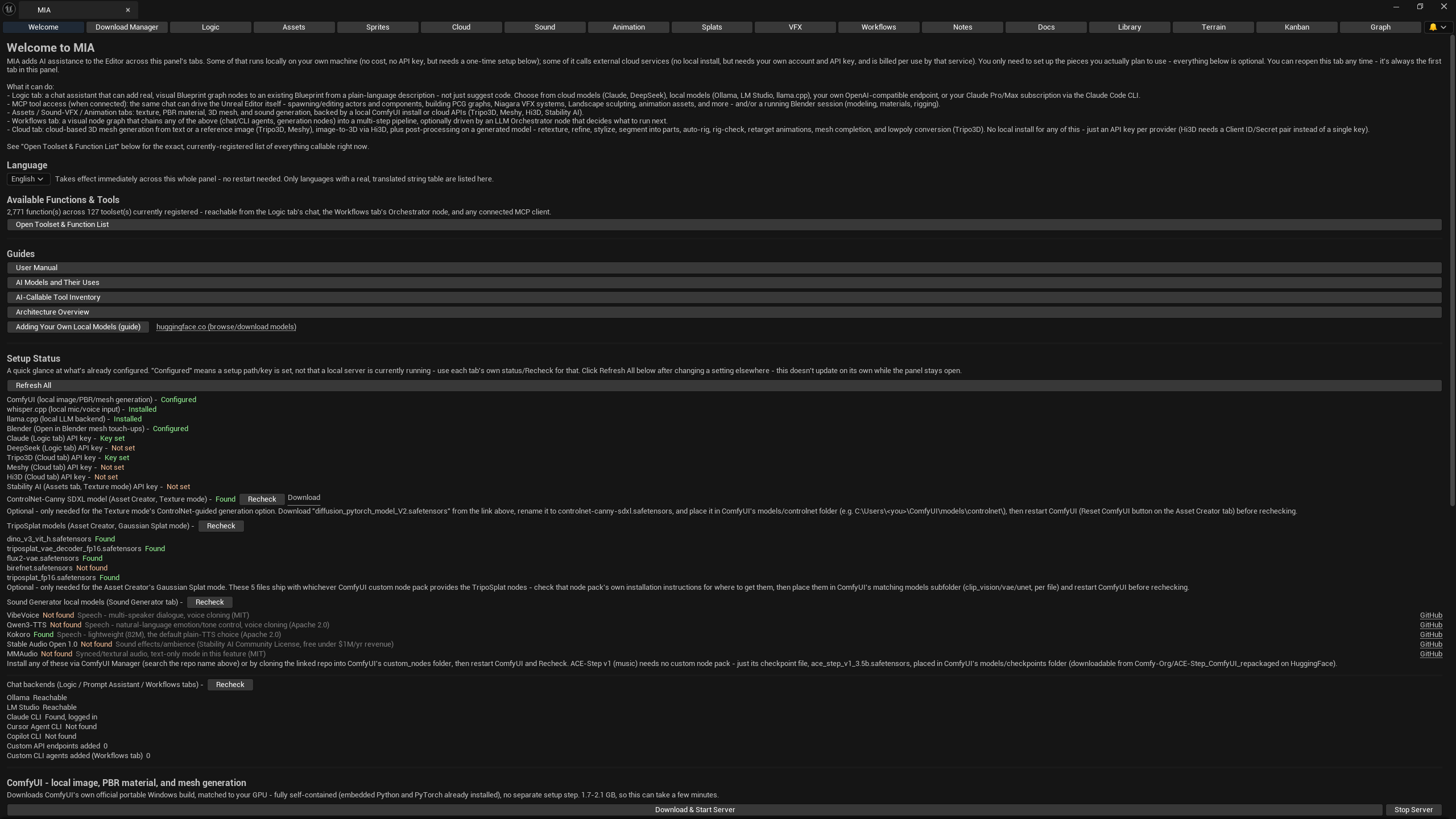
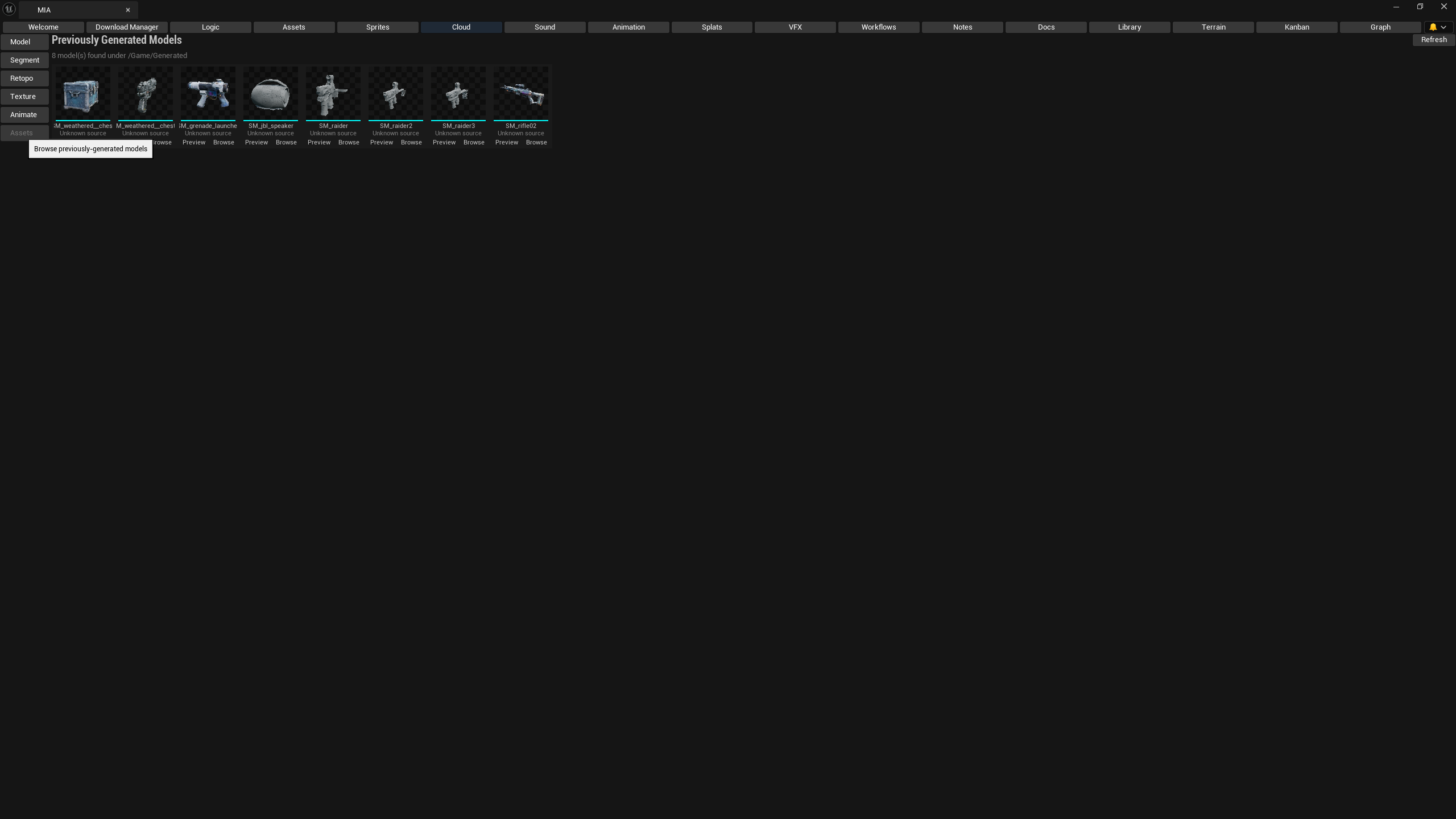
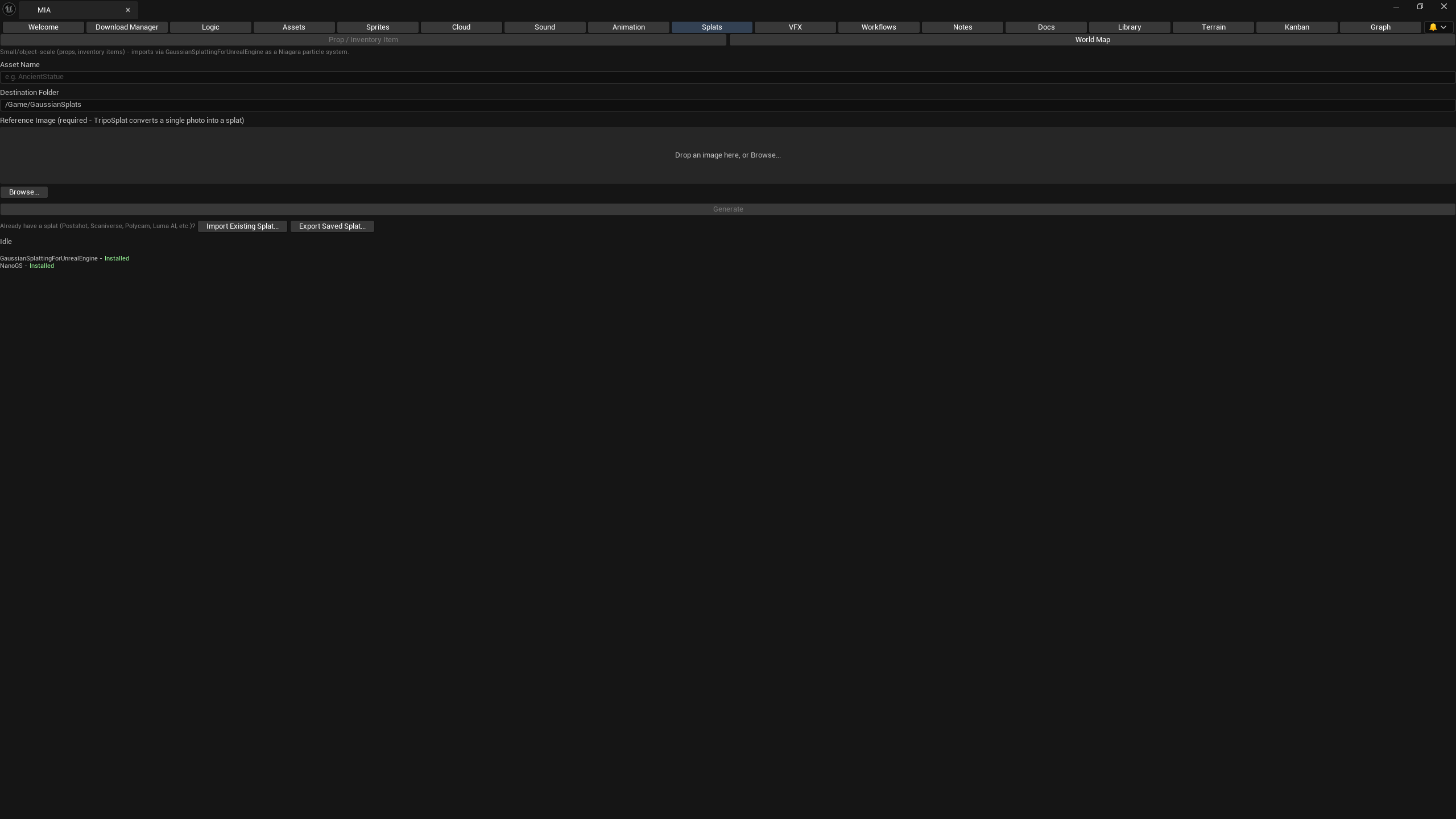
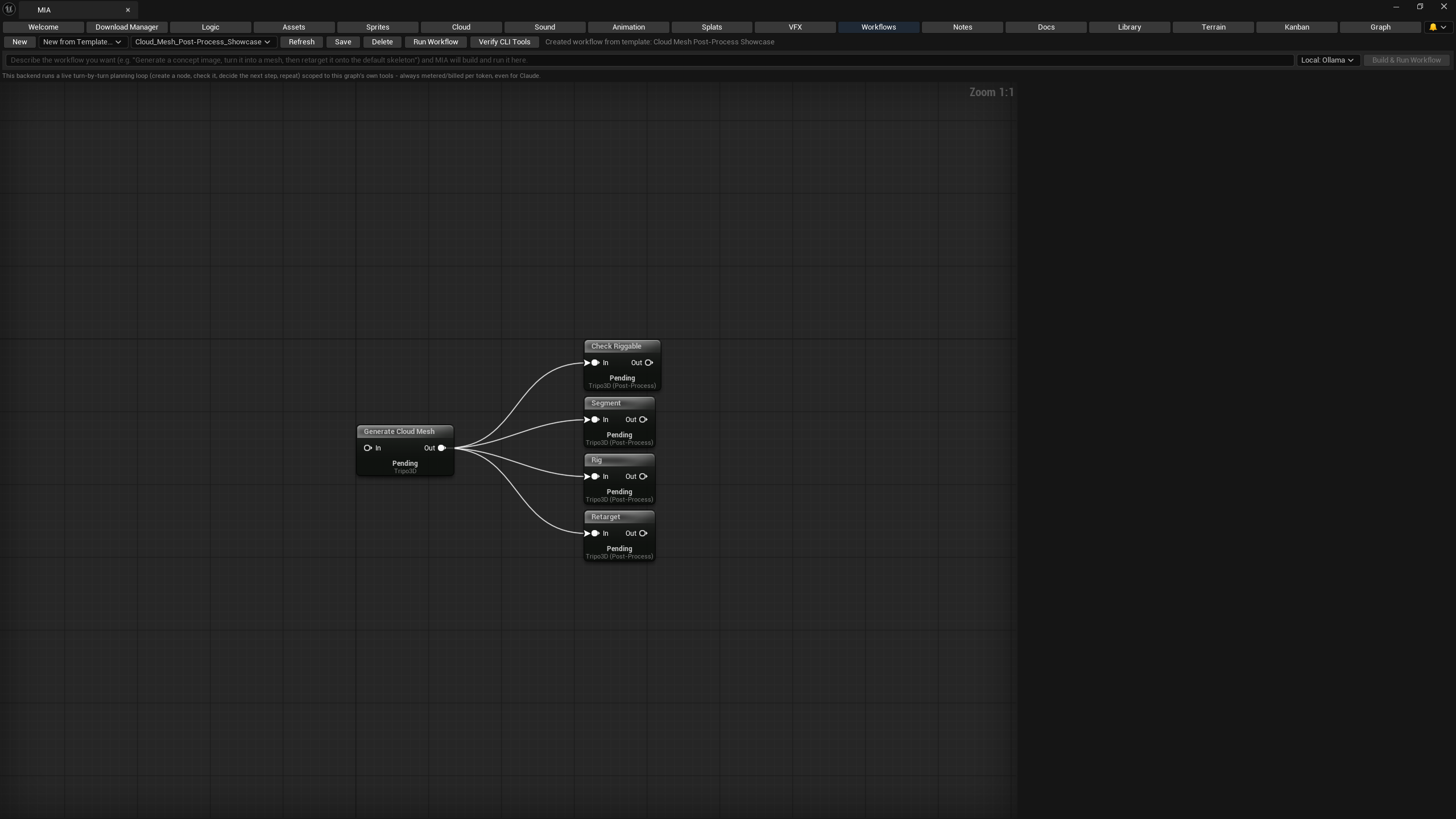
Desktop Companion
A standalone desktop app for pre-production and asset generation before anything touches a project file — generate, iterate, and organize, then send finished assets straight into Unreal, Unity, Godot, or a live Blender session. It is now a digital sculpting application in its own right, not just a generator with a mesh viewer bolted on. MIA Studio Lite brings the same pipeline to an Android tablet and MIA Pocket to a phone — on-device chat, vision, and image generation that need no server at all, fully offline-capable with no desktop app required.
Textures, PBR materials, meshes, Gaussian Splats, and pixel-art sprites — the same local ComfyUI and cloud providers as the Editor plugin, plus a fully local mesh backend (Pixal3D) that needs no cloud key at all, and a live check for whether a workflow’s required ComfyUI node pack is actually installed on your server. Side-by-side multi-model comparison, and a node graph with its own starter-template gallery including real multi-step chains.
A Clip Studio / Krita-class 2D editor built in: raster and re-editable vector layers, groups, clipping masks, non-destructive filter/adjustment layers, layer styles (shadow / stroke / glow), paint-editable transparency masks, and 16 blend modes. Brush engines — round, textured, spray, smudge, blend, sketch, hatching, bristle, clone, and custom stamps that import .abr/.gbr/.gih/Krita tips — with a pressure curve, stabiliser, QuickShape, and mirror + radial symmetry. Painting assistants (ruler, parallel, vanishing-point, 2-point perspective, ellipse) that snap your strokes. Fill, gradient, shapes, Levels & Curves, a full filter gallery, magic-wand selections, perspective transform, a pen tool, and a frame-by-frame animation timeline with onion skin and GIF / webm / spritesheet export. Wide-gamut Display P3, linear-light compositing with soft-proofing, CMYK soft-proof, autosave, palette management (.gpl/.ase), and PSD / OpenRaster / TIFF / SVG / 16-bit PNG import & export.
Text-to-speech with real voice cloning (F5-TTS, Qwen3-TTS, VibeVoice), sound effects, and music generation — local and free by default, with ElevenLabs available when you want cloud quality, transcription, or dubbing into another language.
Connect to Unreal, Unity, Godot, or Blender's own MCP server and push a finished asset straight into a running session — plus one-click BlenderMCP addon setup, no manual install.
Claude, OpenAI, Gemini, Grok, MiniMax, DeepSeek, local Ollama/LM Studio, your own OpenAI-compatible endpoint, or a Claude Code / OpenAI Codex CLI subscription login instead of a per-token key — with MCP tool-calling into every capability the app has, real webpage/PDF/video-transcript reading, and voice in/out.
MIA remembers facts across sessions and brings them into every new chat automatically. Turn on Web Control and she can drive a real embedded browser tab — navigate, click, and read pages — right alongside your project.
Turn it on in Logic or Learn and MIA can move your real mouse, click, type, and take a screenshot to show you exactly what to do — off by default, and every action still needs your approval.
Freeform notes per project, with one click to reorganize rough thoughts into an ordered checklist via AI — no detail dropped, just restructured.
Start from a preset primitive on the new 3D page and sculpt — thirteen brushes including Clay, Flatten, Inflate, Smooth, Polish, Move/Snake-Hook, Stamp, and an Insert brush that stamps instanced primitives onto the surface. Dynamic Topology adds resolution under the brush as you go, multiresolution levels let you rough in a shape and add detail without losing either, and a non-destructive layer stack plus paintable masking keep the whole thing reversible. Face Groups, Curve tools (tube and lathe), symmetry, voxel remesh, quad retopo, boolean ops, and a Bwrap-style scan-wrap retopology cage round it out. Matcap and HDRI preview lighting and an opt-in Beauty render show the form properly while you work.
NewWrap a model in real surface texture — pores, weave, knurling, scales — as actual geometry, so it survives export and 3D printing where a normal map is not an option. Brush it on a patch at a time, or run a whole-mesh pass; both land on the same surface and blend with no seam between them. Displacement is bounded rather than additive, so scrubbing over the same spot converges instead of melting. Any alpha in your brush library (.abr, .gbr, .gih, Krita tips, or one you drew) can drive it, with spacing, scatter, and an edge fade so a stamped line doesn’t read as machine-made.
A real node-wire shader editor that compiles to GLSL and splices into the live material — Voronoi, Brick, Wave, Gradient, Color Ramp, Bump, and HSV procedural nodes included — plus triplanar projection that textures a model from all three axes with no UV unwrap. A second graph drives the brush itself: per-dab radius, strength, rotation, and spacing wired from pressure, speed, stroke time, and randomness. Finished materials export to Unreal as native HLSL.
NewDrop in a photograph and get a full PBR material back — base color, roughness, normal, and height — with an optional neural depth pass (Depth Anything V2) when the shading heuristic alone isn’t enough. The same endpoint is reachable from Lite and Pocket over the desktop relay, so a tablet gets the neural pass without running the model itself.
NewA keyframe dopesheet with two-bone analytic IK poses a rigged character and exports one consolidated animation clip. Guide-based grooming lays hair and fur down as ribbon meshes that export to glTF. A self-contained rigid-body Drop Test answers “will this actually stand up” before it ever reaches an engine. For rigging proper, send a mesh through a headless Blender cleanup into Reallusion AccuRig and bring the rigged result back, or hand a Gaussian Splat to the hosted SuperSplat editor embedded right in the app.
NewDescribe a scene in a sentence and MIA breaks it into its individual objects, then generates every one of them in parallel through the mesh pipeline you already use — a populated set instead of one prop at a time.
NewBody, skin, eyes, 29 makeup looks, hair you can grow and groom, body paint, parametric bodies and a clothing library in one floating panel. Send the result to the 3D tab, to Blender, or onto a MetaHuman in Unreal.
NewAsk for a plan, review it, and run it step by step with an independent reviewer. Steps that make an asset wait for your Accept. Undo a turn from its checkpoint, or revert one file.
NewPhotos to MetaHuman with a guided booth and a pin editor, and any mesh to MetaHuman with 3D landmark editing, before and after preview, and Save and Resume.
NewSplats from photos or video, a world from one panorama or a 360 video, native clean-up of floaters, a collision mesh, and export to .ply, .spz or glTF. Reads .splat, .ksplat and .sog too.
NewTerrain with a mix layer, sky, water, weather and time of day, exported to Unreal over the bridge. A Blender add-on links Studio to a running Blender session.
NewPlan and preview mass crowds right inside Studio's 3D viewport: concentric spiral or uniform grid distributions with color-coded capsule markers for Manny and Quinn variants, customizable radii and counts, and one-click JSON exchange manifest and C++ toolset command generation for Unreal Engine.
NewA local text-to-motion tab with retargeting, a Locomotion Set builder, and a QR-code page that turns a phone into a face and body capture source for Unreal Live Link.
EarlyEvery project is a real, Git-syncable folder on disk. Bring your own local models where it counts — cloud providers are opt-in, never required.
Blender 4.2+ & 5.x Extension
A native Blender extension that brings MIA's parametric character builder directly into the 3D Viewport sidebar. Sculpt, rig, dress, pose, and finalize characters inside Blender with zero external dependencies, or link to a running MIA Studio session for cloud and local AI generation.
Standalone extension v0.14.0 — available now
Instant human base mesh (Anny) with 6 proportion sliders (Height, Build, Head, Torso, Leg, Arm) and an interactive 2D Body Mixer. Automatic 47-bone armature with dual-quaternion volume-preserving skinning so shoulders and elbows never crush.
Four draggable live control pads along the bottom of the 3D Viewport — Mouth (smile/frown, open), Brows (up/down), Lips (pucker/sneer), and Cheeks (puff). Ten one-click facial expressions with interactive morphs and fine sliders.
Physically based skin with melanin, roughness, and subsurface scattering. Procedural multi-layer eyes with pupil shapes (cat slit, star, heart, goat bar, diamond), limbal rings, veins, sclera tint, and a Look-At object tracker.
11 hairstyle presets (Afro, Bob, Crop, Long, Ponytail, Mohawk, etc.), beards (stubble, goatee, full), body hair, eyebrows, and eyelashes generated natively as Blender hair-curves with Principled Hair shading that ride the rig automatically.
Parametric tops, trousers, shorts, skirts, and dresses cut from the body and bound to its armature. Underlying skin is automatically hidden by a Mask modifier to eliminate poke-through, plus one-click retargeting for your own imported clothes.
Synchronize with 64 MetaHuman Creator look properties. Import your own MetaHuman FBX exports, preview in split view, match 27 anatomical landmarks, and run our bidirectional surface wrap solver to transfer shapes and bake skin textures.
15 full-body pose library presets (A-pose, T-pose, Hero, Fighting, Walk, Run, Sit, Kneel, Wave, etc.) that adapt dynamically across any body shape, with finger curls, head tilts, and instant keyframing.
Heroic, Chibi, Cartoon, Lanky, Elf, Orc, Goblin, Troll, Alien, and Demon morphs with switchable armature-bound horns, tusks, and tails that maintain full slider compatibility and pose integrity.
Bakes all procedural skin, eyes, makeup, wrinkles, and masks into clean 1K, 2K, or 4K PBR textures, strips invisible interior geometry, and exports production-ready .glb or .fbx models for Unreal Engine, Unity, or Godot.
Android · Tablet
Everything that makes MIA Studio useful, running natively on an Android tablet — including the sculpting suite and the node graphs, not a cut-down version of them. On-device chat, vision, and image generation need no server and no Wi-Fi at all. Holding a phone instead? MIA Pocket is the same app, laid out for one thumb.
Coming soon to Google Play
Chat, vision, and image generation run locally on the device itself — whisper.cpp voice input, Qwen3.5 on llama.cpp (0.8B to 9B, with native on-device vision on the 4B and 9B tiers), and stable-diffusion.cpp for offline image generation, with cloud providers available whenever you want them instead.
The same Clip Studio / Krita-class layered image editor as the desktop app, tuned for touch and stylus — pressure-sensitive brushes, layers, masks, and filters on a tablet screen.
Procedural heightmaps, sculpt brushes, material-layer paint, sky, and water — the same terrain and world tools as MIA Studio, ported to run natively on Android.
The desktop sculpting suite, running on the tablet: a non-destructive layer stack, paintable masking, Dynamic Topology, multiresolution levels, Face Groups, Curve tools, an Insert brush, Move/Snake-Hook and Polish, scan-wrap retopology, boolean ops, and an opt-in Beauty render. Pixel-density-aware painting snaps dabs to a texture grid for pixel-art straight onto the model, and triplanar projection textures a mesh with no UV unwrap. Two-finger twist sets brush size; a draggable orientation ball orbits the camera when every finger is busy sculpting. Cloud remesh, retexture, and rig passes are still one tap away.
NewA new 3D tab opens on a grid of starter shapes and rigged male and female mannequins — pose one the way Clip Studio’s 3D dolls work, then save the viewport straight into the Draw tab as a reference layer and paint over it. No auto-rig step, and they sculpt and paint like any other mesh.
NewA tablet has the screen and the stylus precision for the real thing, so Lite gets the whole node-wire Material Graph and Brush Logic Graph editors, not a preset list — plus Photo-to-PBR with a neural depth pass borrowed over the desktop relay.
NewThe same visual Workflow tab as the desktop app and the Editor plugin — chain generation and automation nodes together, right from your phone.
The same Plan tab as Studio and the plugin: a builder, an independent reviewer, retries, and your Accept on anything that makes an asset. Keep a long job moving from the couch.
NewPick face photos on the tablet and your desktop builds the face and the skin colour. Lite shows the guided checks and the result.
NewPose a mannequin, export an OpenPose skeleton and run it through the ComfyUI workflow library, including NPC archetype sheets, turnarounds and style transfer.
NewA 14-day trial, then a single one-time Pro unlock — buy it through Google Play, or activate an offline licence key if you installed it directly. The two are independent and grant exactly the same thing; no subscription, and nothing phones home to check.
NewBring your own storage — S3, WebDAV, Dropbox, or Google Drive — and keep projects, brushes, and references in step between your phone and MIA Studio on desktop.
Android · Phone
A phone-first build of MIA Studio Lite. The same drawing suite, sculpting tools, notes, chat, and on-device generation — rebuilt around a 6-inch screen held in one hand, with its own storage, its own keys, and no desktop app required.
Coming soon to Google Play
A fixed five-slot bottom bar — Projects, Create, Draw, Logic, More — puts every primary destination under your thumb, with a sheet for the rest. Editor panels dock as draggable bottom sheets so the 3D view keeps the top of the screen, tap targets never drop below 48px, and the layout survives the browser chrome collapsing and the notch.
whisper.cpp for voice, Qwen3.5 on llama.cpp for chat and on-device vision, stable-diffusion.cpp for image generation — all compiled native and shipped in the app. On a plane, on a trail, on no signal at all. Cloud providers are there when you want them, never required.
Not a viewer — the real thing. Sculpt layers, masking, Dynamic Topology, multiresolution, Face Groups, Curve tools, an Insert brush, scan-wrap retopology, a Beauty render, and a draggable orientation ball to orbit with when every finger is already sculpting. Start from a preset primitive or a rigged mannequin on the 3D tab.
NewThe full layered image editor comes across intact — raster and vector layers, masks, blend modes, the brush engines, the animation timeline, PSD import and export. Pose a mannequin in 3D, snapshot the viewport, and paint straight over it in Draw.
One deliberate difference from Lite: a phone has no room to wire a node graph by hand, so Pocket drives the same material and brush engines through curated preset pickers instead. Same output, no pinch-zooming to hit a port.
Open More > Mocap, scan the QR code from Studio, and your phone camera streams face and body to Unreal over Live Link. Early work.
EarlyPlan and Mission Control sit in the More sheet. Check what the reviewer found, send a step back with a note, and Accept or Retry from your thumb.
NewProjects live in on-device storage and sync through your own S3, WebDAV, Dropbox, or Google Drive — never ours. A 14-day trial, then one Pro unlock, through Google Play or an offline licence key. Read the privacy policy.
Unreal Plugin · Animation
A standalone Unreal plugin for text-to-motion. Describe what the character does and get a clip on your own skeleton, with a timeline to edit it. The same tools live in the MIA Animation tab, and the two are kept in step.
Fab listing in preparation
A local generator runs on your GPU (Vulkan, so AMD works too) with a resident worker, so a repeat take comes back in a fraction of a second after the first one warms up.
Retargets to the UE mannequins, MetaHumans, Character Creator and Mixamo skeletons, with the bone-name quirks handled for you.
Long motions are built from segments, re-takes keep their history, and a Locomotion Set builds a whole walk, run, turn and stop kit in one go.
Stream body and face from a phone into Live Link subjects, and use them with the same retargeting.
EarlyExport an OpenPose skeleton picture of any animation frame for image models, and fill in-betweens between key poses.
An in-editor tour, searchable guides and a demo level with the mannequins ship inside the plugin, and the docs are public.
Android · Native
A native Android app (Kotlin, not a web wrapper) for voice chat with local and cloud models. It does not depend on a server, though it can use one on your network.
Coming soon
An embedded llama.cpp runs a GGUF model you import, with airplane mode on. Or point it at Ollama, LM Studio or llama-server on your network, or at Claude, OpenAI, Gemini, Grok, DeepSeek, Kimi or MiniMax.
On-device whisper.cpp for push-to-talk and hands-free, neural voices through sherpa-onnx, system voices as a fallback, and ElevenLabs when you want cloud quality and voice cloning.
Import a PDF, EPUB, DOCX, text file or web article. It reads aloud with the current sentence highlighted, remembers where you stopped, and has speed and a sleep timer.
Switch on "Answer as MIA" and every backend gets the same identity and skills as the other apps in the family.
Record a sample and clone a voice through ElevenLabs, or through a companion server that runs OpenVoice on your own PC so nothing leaves your network.
Keys sit in encrypted storage on the device. Read the privacy policy.
Quick Start
Install from Fab, enable the plugin, and open the MIA tab.
From the Fab Marketplace, add MIA to your project, then enable it in the Plugins window.
# In your project's Plugins folder, or via Fab's "Add to Project"
Edit > Plugins > Search "MIA" > Enable > Restart EditorFind it under the Window menu, then dock it wherever fits your layout.
Window > MIA > "Open Panel"Pick a local backend like Ollama, or add your own API key for a cloud provider.
// Settings > MIA > Providers
provider: "ollama",
model: "qwen2.5-coder:7b",
endpoint: "http://localhost:11434"Type a prompt in the Workflows tab and run it against a generation node.
# Workflows tab
prompt: "low-poly wooden crate, game-ready"
node: Generate Mesh → Import to Content BrowserMIA's Fab creator account has been accepted — the listing itself isn't live yet, and the Android apps are on their way to Google Play. Follow along for launch dates and first looks.
Release news, dev-log drops, and early looks at MIA — straight to your inbox.
Desktop · Android
Mia Social Studio — post about your work without losing your voice
For solo developers who would rather build than write marketing. It drafts one post per channel from what you actually did this week, in a voice you set, and sends nothing without your say-so.
Coming soon
One idea, every channel
Draft separate posts for YouTube, Patreon, X, Instagram and Discord from the same notes, each in the style that channel needs.
An About Me profile
Say who you are, what you are building, your pronouns and your tone. Every draft is written from that, and it stays on your device.
Weekly summary
Turn a week of notes and commits into a recap, with edits and approval before anything leaves the app.
Bring your own model
Local models or the cloud provider you already use. Read the privacy policy.